{/*
DO NOT DELETE THIS COMMENT
The template for this document is https://github.com/tomtom-internal/map-display-map-styler/blob/main/docs/guide-template.mdx
If you’re writing a guide, please use the template rather than copying an existing document.
*/}
Use this guide to choose the correct platform target, SDK version range, and map display renderer when you create a style in Map Maker.
## Choose a platform target
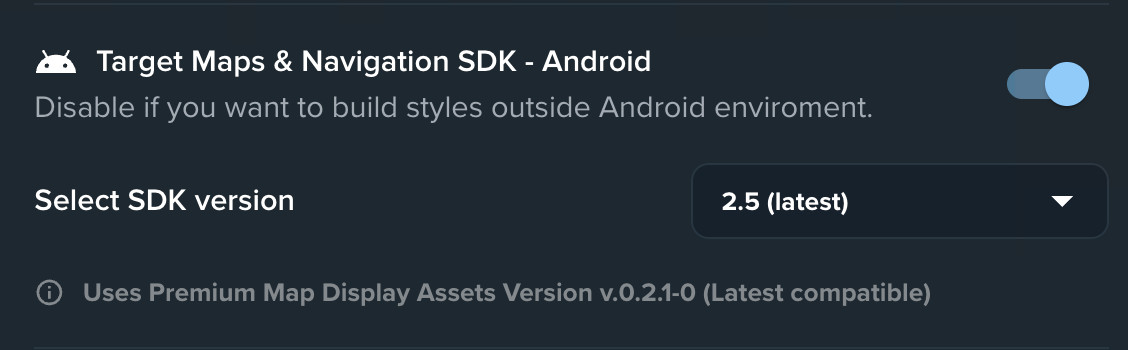
Choose whether to target TomTom Maps & Navigation SDK for Android.
| Target Maps & Navigation SDK - Android | Use when | Available options |
| -------------------------------------- | --------------------------------------------------------------------------------------------------------------- | ----------------------------------------------------------------------------------------------------------------------------------------------------------------------------------------------------------------------------------------------------------------------- |
| **On** | You are creating a style for **TomTom Maps & Navigation SDK for Android**, including the **Automotive Navigation App** and you want to style [SDK Modules](https://docs.tomtom.com/map-maker/documentation/basics/modules#module-types). | Select an SDK version range, such as `2.5.x`. Map Maker uses the latest map style version compatible with that range. You can also choose Standard Map Display or Premium Map Display. See: [Which map display renderer am I using?](#which-map-display-renderer-am-i-using). |
| **Off** | You are **not targeting** Android SDK. | You can select only Standard Map Display. This option is suitable for MapLibre GL JS, but compatibility with TomTom SDKs is not guaranteed. |
Compatibility with non-Android platforms is not guaranteed.
Map Maker is optimized for Android SDK-targeted styles. You can use the generated styles on other platforms, but TomTom does not test those combinations to the same level as the declared Android SDK range. Verify compatibility before using the style in production.
## Which map display renderer am I using?
Starting with TomTom Maps & Navigation SDK version `2.5.x`, Premium Map Display is the default renderer.
To check which renderer your Android project uses, inspect the dependencies in `build.gradle.kts`:
- Standard Map Display uses `map-display-compose-standard`.
- Premium Map Display uses `map-display-compose-premium`.
[See how to set dependencies](https://docs.tomtom.com/navigation/android/getting-started/displaying-your-first-map#step-1-add-the-required-dependencies).