
Back to all examples
Geometry config playground
Style a place's geometry
Barcelona’s boundary draws its fill and its border in separate colours, at separate depths in the base map’s layer stack. Both turn heavier while it is clicked.
GeometriesModule.createconfiguresfillandlineseparately, and itsbeforeLayerConfiggives each a style layer to sit under rather than an index to compute.geometryDatareturns the boundary polygon both layers draw, for the geocoded city.geometriesKnobCataloguegives the selects their options and the sliders their ranges and starting values, so the panel offers only values the module takes.setEventStatemarks the boundary clicked, andhighlightmultiplies the opacity and width in force while it is.updateConfigrestyles the shown boundary in place, keeping its visibility and its click state.
Related examples

Geometry search playground
Search for places within specific geographic boundaries
Playground
Search and Geocoding
Geometry
Web
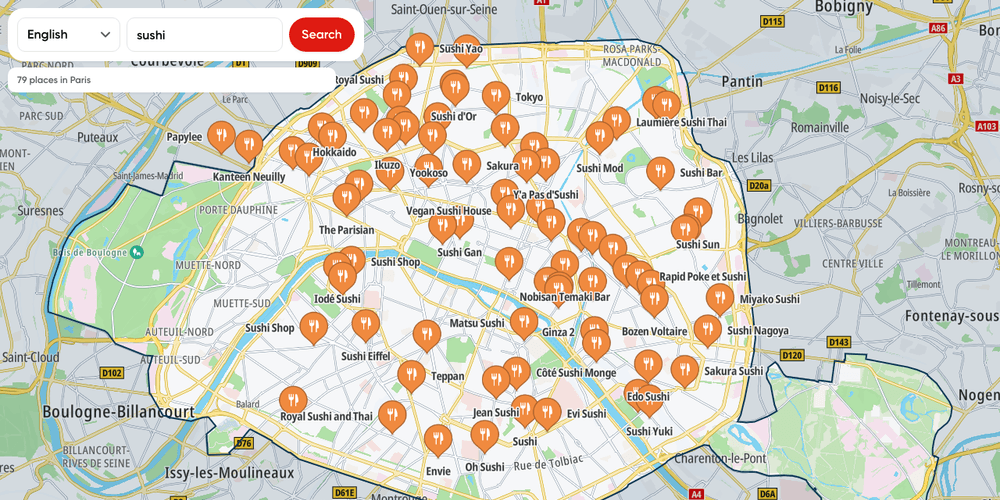
Places by category in words
Name a kind of place in one of five languages and find it inside the Paris outline
Playground
Search and Geocoding
Geometry
Web

Map Chat Agent
Ask a chat beside the map for places, routes or traffic, and watch the map search, draw and frame the answer
Playground
AI
Search and Geocoding
Places and POIs
Map Style
Base Map
Geometry
Traffic
Routing
Plugins
Web
React

Map Chat Agent State Playground
A map chat whose every result lands in a side panel, where you can show, hide or drop it yourself
Playground
AI
Search and Geocoding
Places and POIs
Map Style
Base Map
Geometry
Traffic
Routing
Bring Your Own Data
Plugins
Web
React