
Back to all examples
Show your own GeoJSON as places
Fetch a council's listed buildings as GeoJSON and pin each one, named, on the map
A GeoJSON file from a council open-data portal turns into named pins across Halifax, styled like the base map’s own points of interest.
PlacesModule.showtakes the fetched collection exactly as it takes a service response, so your data needs no conversion.iconmaps every building to one category icon, andlabelreads the title from your ownNameproperty.PlacesModule.create<ListedBuilding>types the module with your properties, so those callbacks are checked against your data.
Related examples
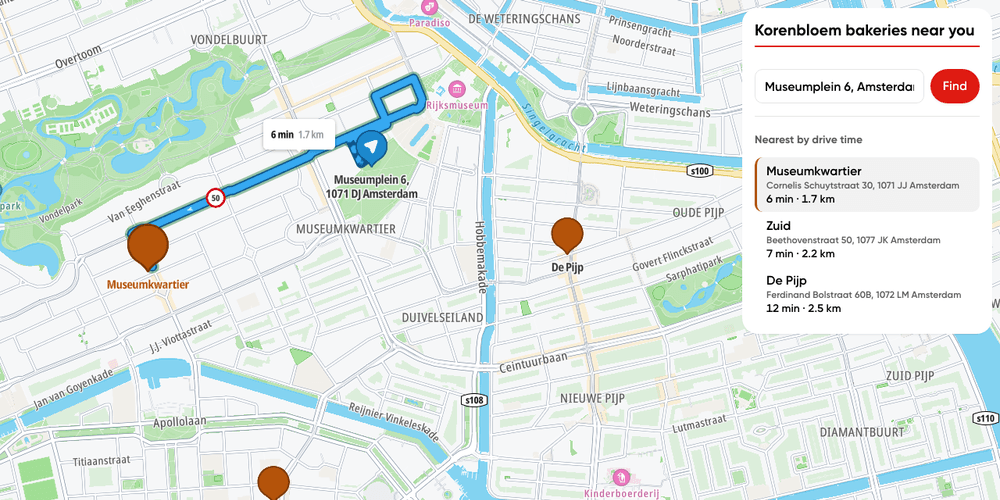
Store locator
Find the nearest of your own stores by drive time, from any address.
Getting Started
Bring Your Own Data
Places and POIs
Search and Geocoding
Routing
Web
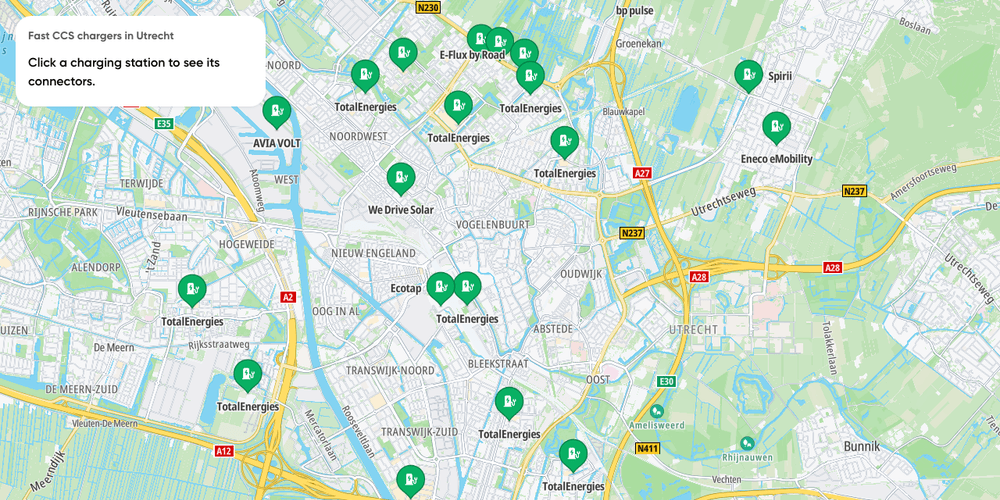
EV chargers nearby
Fast charging stations near one location, filtered by connector and power, with each station's connectors on click
Getting Started
Electric Vehicles
Search and Geocoding
Places and POIs
Web

Interactive Map POIs
Click on map POIs to see their details
Getting Started
Base Map
Places and POIs
User Interaction Events
Web

Map Chat Agent State Playground
A map chat whose every result lands in a side panel, where you can show, hide or drop it yourself
Playground
AI
Search and Geocoding
Places and POIs
Map Style
Base Map
Geometry
Traffic
Routing
Bring Your Own Data
Plugins
Web
React