
Route sections
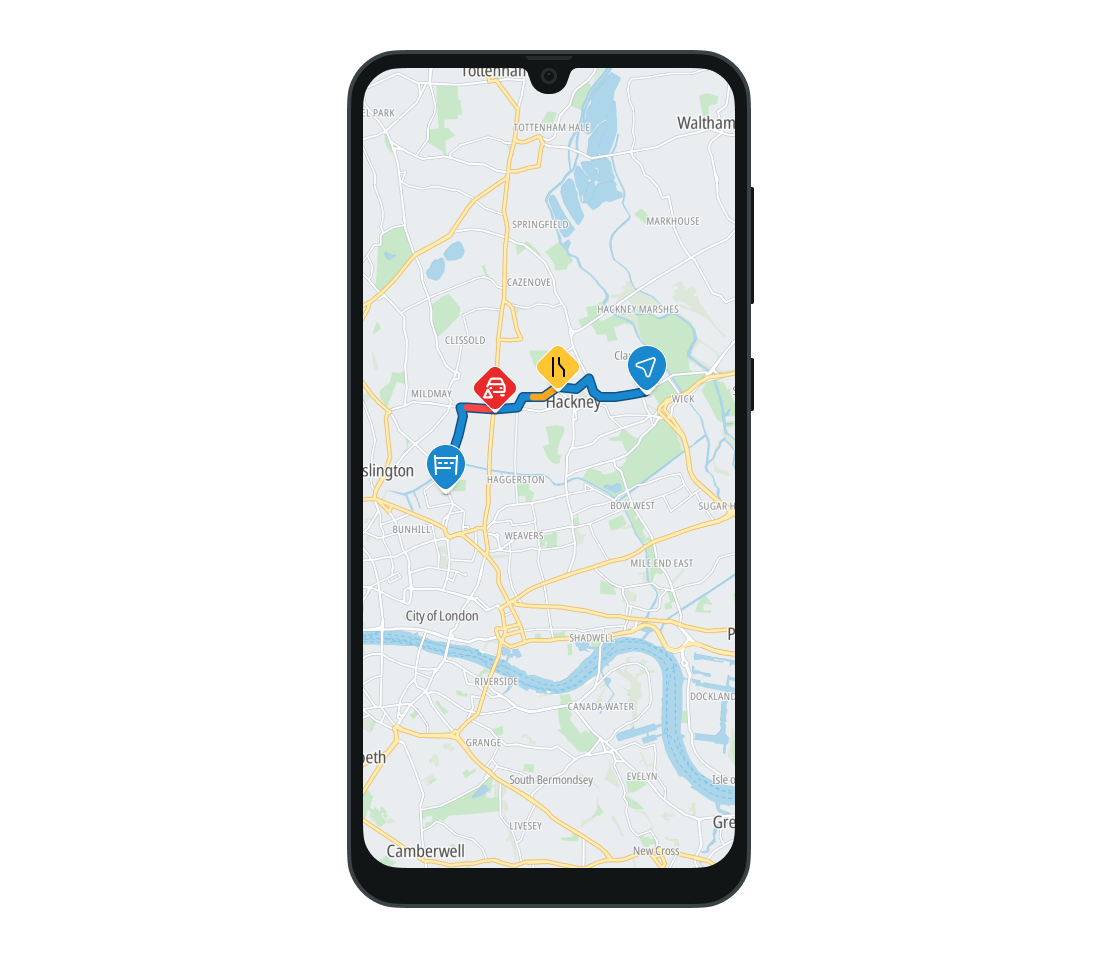
Route sections are parts of a planned route that have specific characteristics, such as ferry crossings, motorway sections, or areas with traffic incidents. Using sections, you can show users where these elements are located along a planned route.
The Sections object contains a list of parameters for each Section .
Read more about route planning in the Planning routes guide.
You can find the list of section types further in this guide.
Each returned section has three basic properties:
- A list of geometries representing the section.
- The distance from the start of the route to the section.
- The length of the section, in meters.
Some specific section types also return additional information about the section.
Basic section types
The following section types are always included in a response:
-
SectionType.CarTrain- Represents a route section that is a car train. -
SectionType.Country- Represents a route section indicating which countries the route crosses.- It provides the 3-character ISO 3166-1 alpha-3 country code in which the section is located.
-
SectionType.Ferry- Represents a route section that is a ferry. -
SectionType.Motorway- Represents a motorway section. -
SectionType.Pedestrian- Represents a route section suited only for pedestrians. -
SectionType.TollRoad- Represents a route section that requires a toll payment. -
SectionType.TollVignette- Represents a route section requiring a toll vignette.- It provides the 3-character ISO 3166-1 alpha-3 country code in which the section is located.
-
SectionType.Traffic- Represents a route section with traffic information. It also provides:- The category of the incident -
SimpleCategory. - The average effective speed in km/h.
- The delay caused by the incident, in seconds.
- The magnitude of the delay caused by the incident.
- Detailed information about the traffic event (TPEG2-TEC standard).
- The category of the incident -
-
SectionType.VehicleRestricted- Represents a route section restricted for the selected vehicle type. -
SectionType.Tunnel- Represents a route section that is a tunnel. -
SectionType.Carpool- Represents a route section reserved for HOV (high-occupancy vehicles) at the time of traversal. Roads with at least one unrestricted lane are not included. -
SectionType.Urban- Represents a route section located within an urban area. -
SectionType.LowEmissionZone- Represents a route section within a low-emission zone. -
SectionType.Unpaved- Represents a route section with an unpaved road surface.
Section types for extended guidance
The following section types for extended guidance are included in a response if they are requested using GuidanceOptions.extendedSections :
-
SectionType.Lanes- Represents a route section with lane section available. It additionally provides: -
SectionType.SpeedLimit- Represents a route section with a speed limit.- Provides the speed limit in km/h.
-
SectionType.RoadShields- Represents a route section with road shield information.- Provides a reference to the road shield with the shield content.
Next steps
Since you have learned how to work with route sections, here are recommendations for the next steps: