
Back to all examples
Delivery zones of your own
Show your own GeoJSON polygons and respond to clicks on them
Five delivery zones drawn along Barcelona’s streets, each in its own colour and named on the map.
GeometriesModule.showtakes your own polygons, not only geometry data boundaries, and draws a fill, a border and a label for each.fill.palettedeals out the colours in turn, andlabel.titlereads each zone’sname.- A click handler alone turns on the hovered and clicked look, and receives the zone with your properties.
BaseMapModulecatches the clicks that miss every zone, and those close the panel.
Related examples

Bring Your Own Data: Clusters and Polygons
20k clustered random points and random polygons around London, rendered with the CustomGeoJSONModule. Both layers are clickable.
Customization
Bring Your Own Data
User Interaction Events
Web

Bring Your Own Data: GeoJSON Heatmap with Custom Module
Render a custom GeoJSON heatmap and labeled symbol layer with the CustomGeoJSONModule, with style-change restore, hover and click events.
Customization
Bring Your Own Data
User Interaction Events
Web
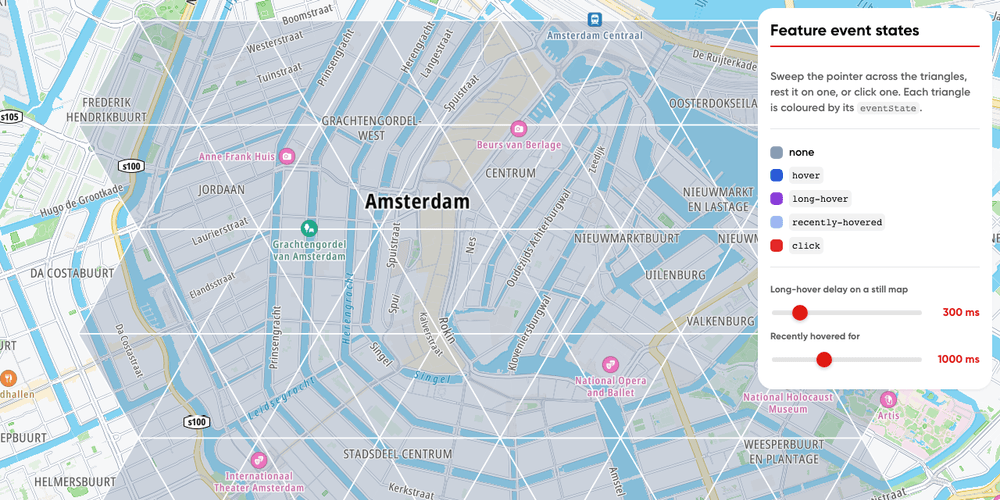
Feature Event States
Triangles coloured by their event state (hovered, long-hovered, recently hovered, clicked), with sliders for the long-hover delay and the recently hovered period.
Playground
User Interaction Events
Bring Your Own Data
Web

Interactive map labels
Click country, city and neighborhood labels on the map to show their boundaries
Getting Started
Base Map
Geometry
User Interaction Events
Web