
Show EV reachable range
Request accessRange visualization can be used to visualize a reachable range for electric vehicles (EVs) as well as combustion vehicles.
Before you start check Calculating a reachable range guide.
Project setup
Add the dependency to your project’s build.gradle file:
implementation "com.tomtom.sdk.maps.visualization:range:1.26.4"Initializing the Range Visualization module
Use the RangeVisualizationFactory method to create the rangevisualization object. It takes two arguments:
- tomTomMap: a
TomTomMapobject. - defaultRangeStyle: A default
RangeStylethat will be used for stylization of the range circles primitives
rangeVisualization = RangeVisualizationFactory.create(tomTomMap, defaultRangeStyle)Displaying a reachable range
There are two ways to visualize a range on the map: . Circle - used to display a range as a reachable radius . Polygon - used to display a more detailed range
To display a reachable range, a Range object must be created and passed to the display method of RangeVisualization . Choose between two types of Range objects: NamedPolygons and NamedCircles
val circle1 = NamedCircle(name1, origin1, radius1)val circle2 = NamedCircle(name2, origin2, radius2)val circleRange = Range.NamedCircles(listOf(circle1, circle2))rangeVisualization.display(circleRange)val polygon1 = calculateRangeResponse.boundaries[Budget.Energy(Energy.kilowattHours(5))]val polygon2 = calculateRangeResponse.boundaries[Budget.Energy(Energy.kilowattHours(10))]when { polygon1 is RangeBoundary.Polygon && polygon2 is RangeBoundary.Polygon -> { val namedPolygon1 = NamedPolygon(name1, boundary = polygon1.points) val namedPolygon2 = NamedPolygon(name2, boundary = polygon2.points) val polygonRange = Range.NamedPolygons(listOf(namedPolygon1, namedPolygon2)) rangeVisualization.display(polygonRange) }}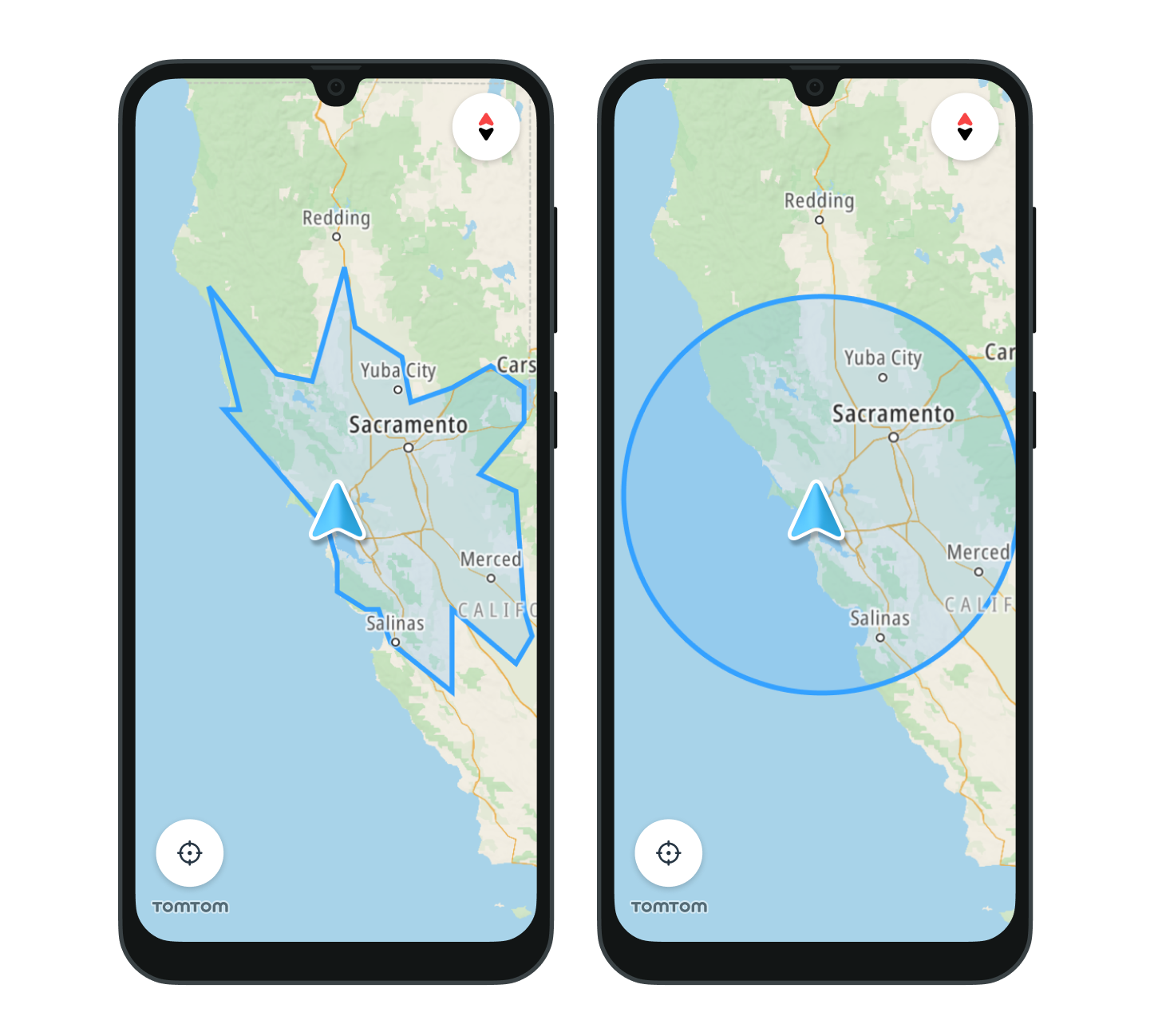
Clearing the range
The range currently being visualized on the map can be cleared using the clear method of RangeVisualization:
rangeVisualization.clear()Learn more
Since you have learned how to display Reachable range, here are recommendations for the next steps: