
User location
The TomTom Map Display module allows you to show the current user location on the map. Location data is provided by the LocationProvider and is used to display the user location marker indicator on the map.
Using the location provider with the map
Location updates are generated by the LocationProvider. To receive them you need to provide the LocationProvider object to the TomTomMap. It will be used by the map to position the location marker according to the position updates.
tomTomMap.setLocationProvider(locationProvider)You can also use the TomTomMap object to retrieve the currently used LocationProvider, access the latest user location, or check whether the location marker is visible on the screen.
val mapLocationProvider = tomTomMap.getLocationProvider()val isLocationInVisibleArea = tomTomMap.isCurrentLocationInMapBoundingBoxval currentLocation: GeoLocation? = tomTomMap.currentLocationLocation marker
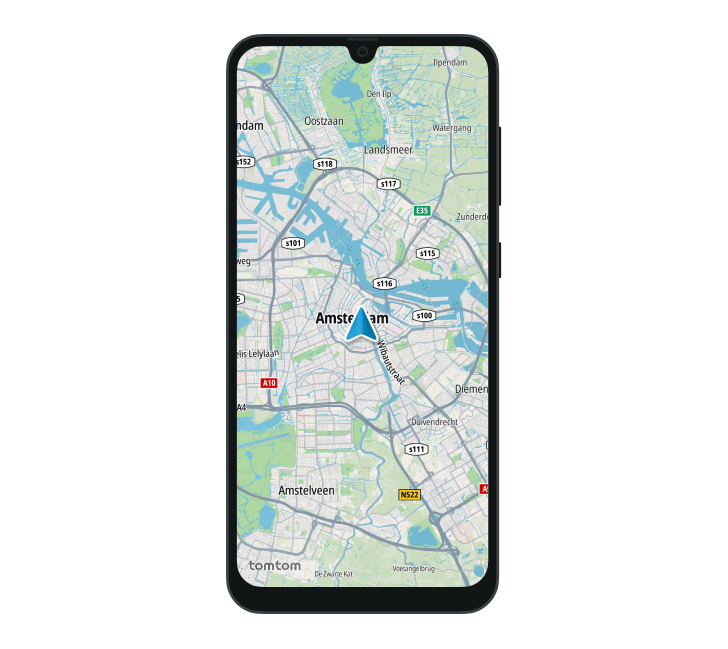
The user location is shown as a location marker on the map. To show it, first create LocationMarkerOptions.
val locationMarkerOptions = LocationMarkerOptions( type = Type.Chevron, )Then enable the location marker on the map. If a marker has already been set, the new one replaces it.
tomTomMap.enableLocationMarker(locationMarkerOptions)You can also deactivate and remove a location marker that was previously added to the map.
tomTomMap.disableLocationMarker()The location marker is displayed as shown below.
Next steps
Since you have learned how to show user locations, here are recommendations for the next steps: