
Access and accounts
Request accessTomTom delivers map data in the NDS.Live format. To work with it, you need accounts on two separate systems:
- My.TomTom for your evaluation project and API key
- NDS.Live developer portal for the documentation, tooling, MapViewer, SDKs, and the Artifactory identity token that installs them
Creating one account does not create the other.
This page explains how to get each account, how to get NDS.Live services enabled on your API key, and which endpoints you can use.
Your endpoints
The endpoints available to you depend on the entitlements on your API key. TomTom adds the entitlements to your key when it provisions your access. You can’t add them on your own.
| Your API key | Endpoints you can use |
|---|---|
| Has entitlements that TomTom provisioned | The four evaluation endpoints, and the endpoints your entitlements define. Your onboarding email contains the URLs for your package. |
| Has only the NdsLive API that you added | None. To reach the Smart Layer Tile Services, your key needs entitlements. |
Find your services through the NDS.Live Registry. The registry returns only the Smart Layer Tile Services your entitlements cover, so you can choose the ones you need. Because the registry provides the endpoints, you don’t have to hardcode them.
Your entitlements cover specific maps, and for each map, the areas your product includes. If the registry returns no services, or a service returns no data where you expect some, your API key can still be valid: your access may not be fully set up yet. Contact TomTom’s Provisioning Team at sales.contractadmin@tomtom.com, and include the endpoint URL without your API key.
Your entitlements also define which production endpoints you can use. To get entitlements, contact TomTom’s Provisioning Team at sales.contractadmin@tomtom.com.
My.TomTom account and API key
To get an API key, you need a My.TomTom account.
Accept your My.TomTom invitation
After you sign an evaluation agreement with TomTom Sales, TomTom onboards you to My.TomTom: it sets up your account and a project for NDS.Live, and sends you an invitation in a separate email. Accept the invitation, and complete the registration at my.tomtom.com.
If you registered on My.TomTom on your own, your account follows a different flow. To get access to NDS.Live, contact TomTom’s Provisioning Team at sales.contractadmin@tomtom.com.
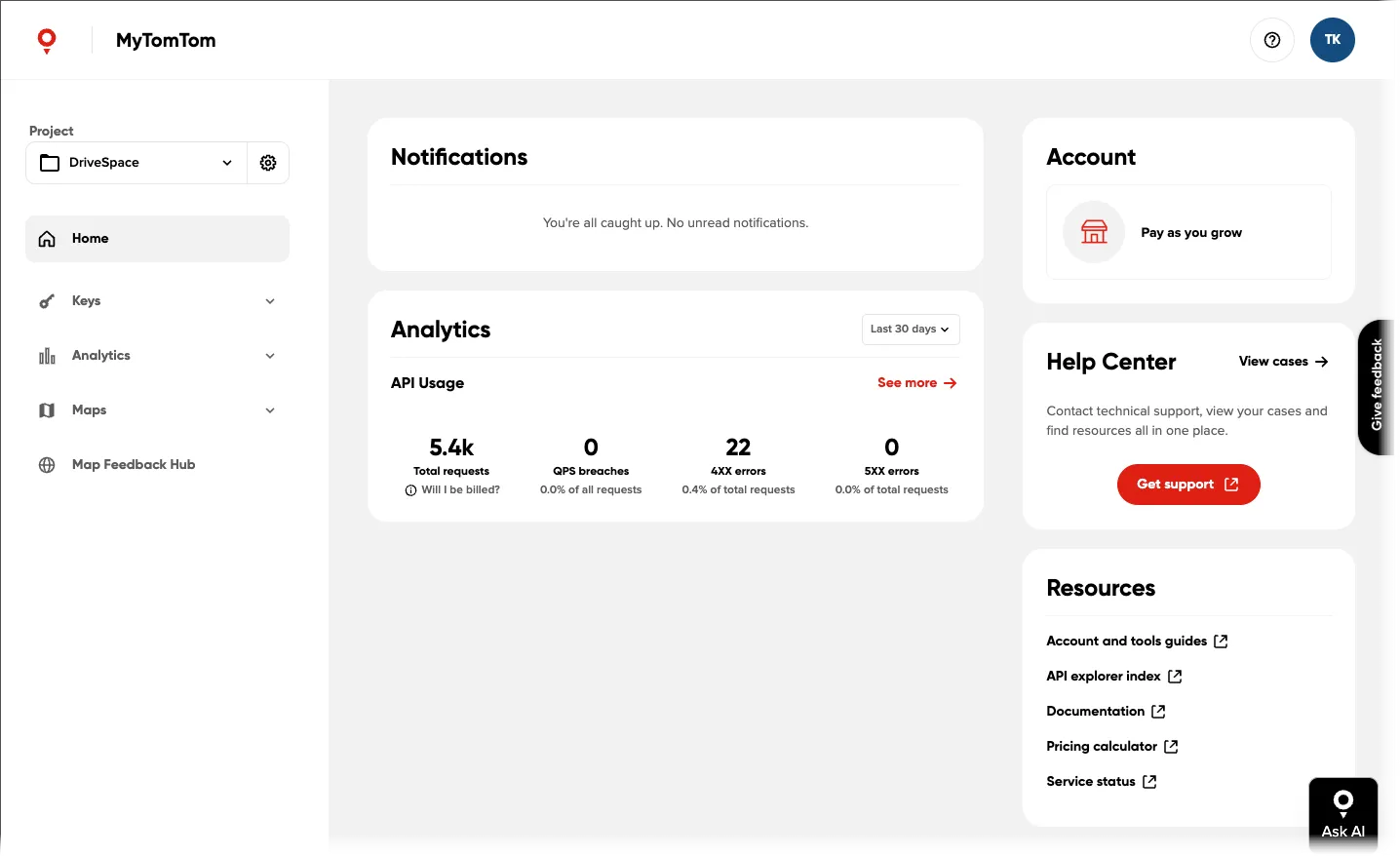
Expected output: the My.TomTom dashboard. You’ll create your API key under Keys in the left menu.
Get your API key
Your project doesn’t have an API key yet. On my.tomtom.com, go to Keys > API & SDK Keys, create an API key in the project TomTom set up for you, and copy it. You can create as many keys as you need.
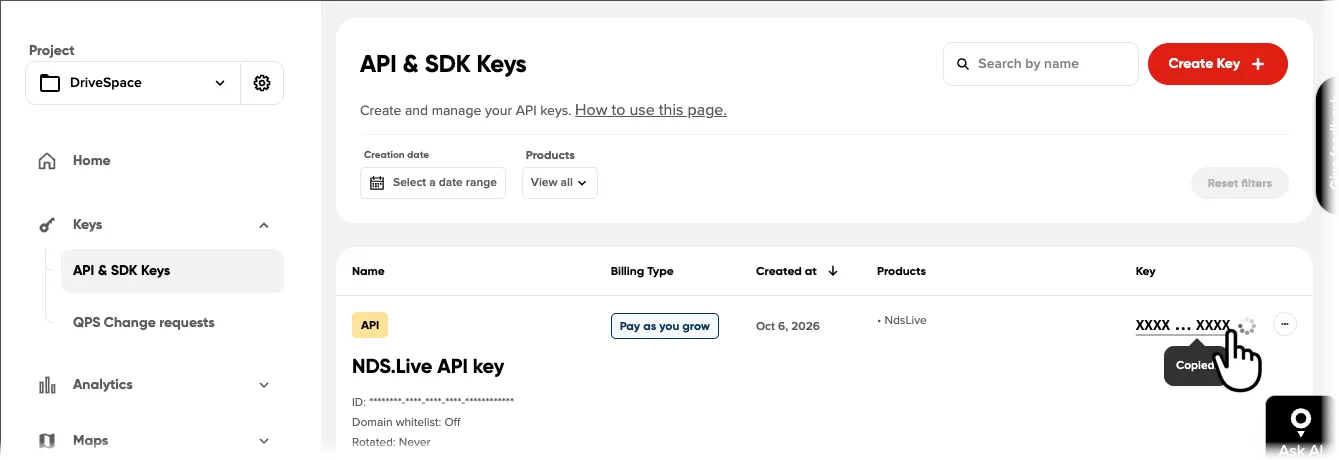
Your API key must have the NdsLive API assigned.
If your key doesn’t have the NdsLive API:
- Click … (ellipsis) > Edit key.
- Go to the Products section.
- Add the NdsLive API.
You can change the APIs your key can access at any time.
The NdsLive API alone doesn’t give you access to the services. Your key also needs the entitlements that TomTom adds when it provisions your access.
NDS.Live account and Artifactory identity token
Create your NDS.Live account
Fill in the NDS.Live Evaluation Access form on the NDS Association’s members site, with the same email address you used for your My.TomTom account. Then sign in to the NDS.Live developer portal. Both sites belong to the NDS Association.
Expected output: after you sign in, the portal opens the Getting started > Welcome to NDS.Live! article.
Generate an Artifactory identity token
The identity token gives ndslive-setup and Docker access to NDS Artifactory, where the NDS.Live tooling, container images and Python packages are.
- Go to NDS Artifactory. Log in with your NDS.Live account.
- Go to Artifacts, open the mapviewer package page, then select Set Me Up > Generate token & Create Instructions.
- Copy the token and store it securely. It’s displayed only once, so treat it like a password.
If the token expires, or you lose it, generate a new one the same way.
Access essentials
- You need two accounts:
- A My.TomTom account with an API key that has the NdsLive API
- An NDS.Live account with an Artifactory identity token
- The NdsLive API only lets your requests through the TomTom API gateway. It doesn’t add any entitlements to your key. To get map data from the Smart Layer Tile Services, contact TomTom’s Provisioning Team for entitlements on your API key.
- Your entitlements define the production endpoints you can use, and the maps and areas you get from the Smart Layer Tile Services.
- The NDS.Live Registry returns only the Smart Layer Tile Services your entitlements cover.
Related resources
- How to get a TomTom API key
- Endpoint quick start
- Architecture overview: NDS.Live Registry
- My.TomTom
- NDS.Live developer portal
- NDS.Live Evaluation Access form
- NDS Artifactory