
Asking TomTom for Support
Introduction
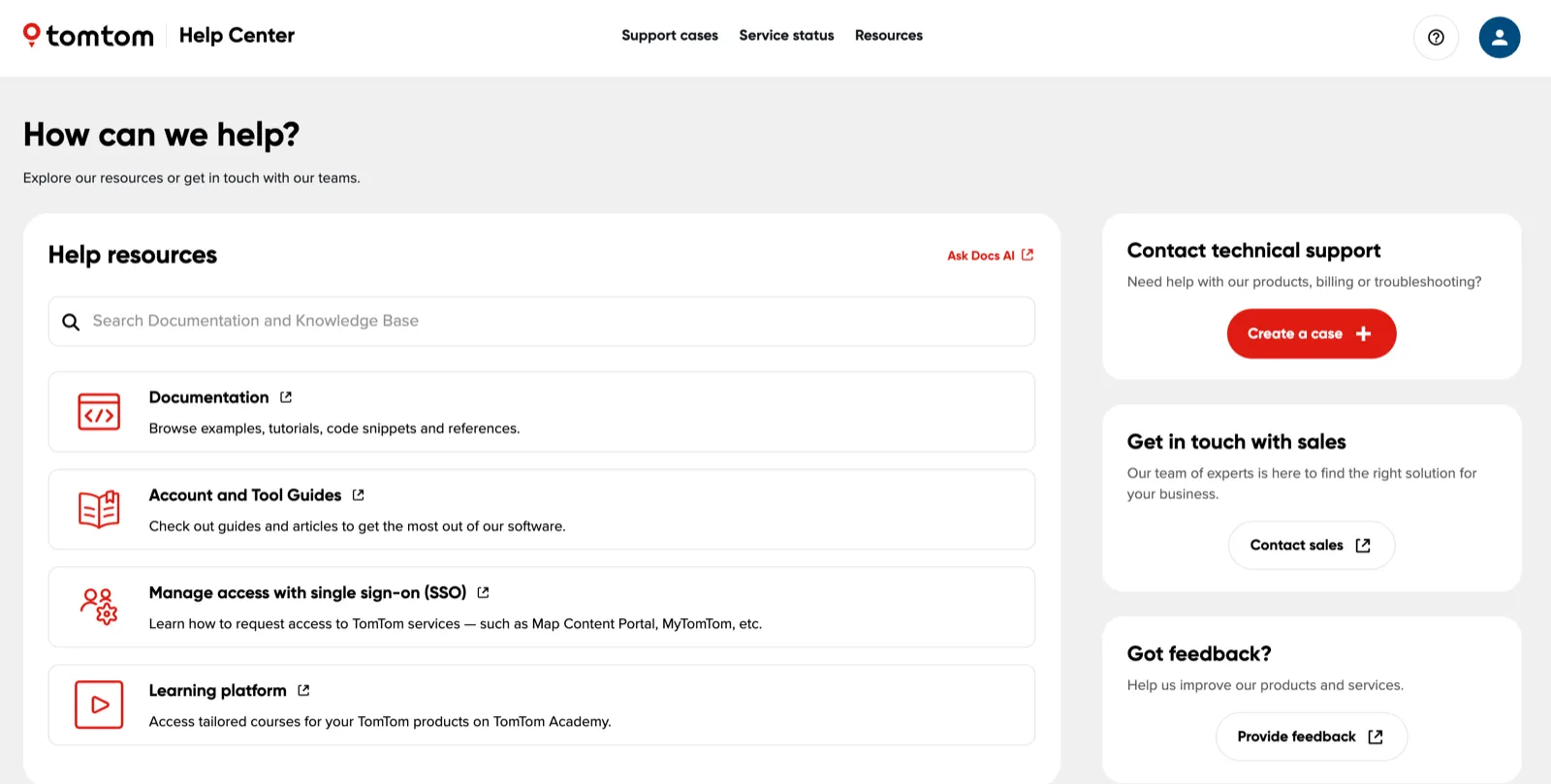
The TomTom Help Center is the entry point for support. It replaces the former “Contact Us” page on the Developer Portal. From the Help Center you can search the documentation and knowledge base, create a support case, track your existing cases, check service status, and reach the sales team.
Before you create a case
Some questions can be answered faster without a support case:
- Search the documentation and knowledge base from the search box on the Help Center home page, or use Ask Docs AI.
- Check service status — Service status in the Help Center navigation, or the Services status page — to see whether an API is affected by a known incident or planned maintenance.
- Check the Platform FAQs and the product FAQs listed on the Support quick start page.
- Browse the Account and Tool Guides linked under Help resources for guidance on TomTom software and account management.
Creating a support case
Use a support case for help with our products, billing, or troubleshooting.
- Go to support.tomtom.com/support.
- Sign in with your TomTom account.
- Under Contact technical support, select Create a case.
- Complete the case form and submit it.
Provide as much detail as you can, for example the product or API name, your project, the timestamps of failing requests, and the full error response. This helps the support team reproduce the problem and reduces the number of follow-up questions.
Tracking your cases
Select Support cases in the Help Center navigation to see the cases you have created, check their status, and add comments. The support team replies in the same place and notifies you by email.
Requesting access to TomTom services
If you need access to a service such as MyTomTom or the Map Content Portal rather than help with a problem, see Manage access with single sign-on (SSO) under Help resources in the Help Center. Access requests are handled through SSO rather than through a support case. See also Managing access with single sign-on (SSO).
Other ways to get in touch
The Help Center home page also has routes that are not support cases:
- Contact sales — to discuss which TomTom solution fits your business.
- Provide feedback — to tell us how we can improve our products and services.
Your contact details
Some fields on the case form are required so that the support team can contact you about your case. If you also opt in to marketing communication, you can unsubscribe at any time using the link included in those emails. See our privacy policy for more information about how we handle your data.