Adaptiveness
Introduction
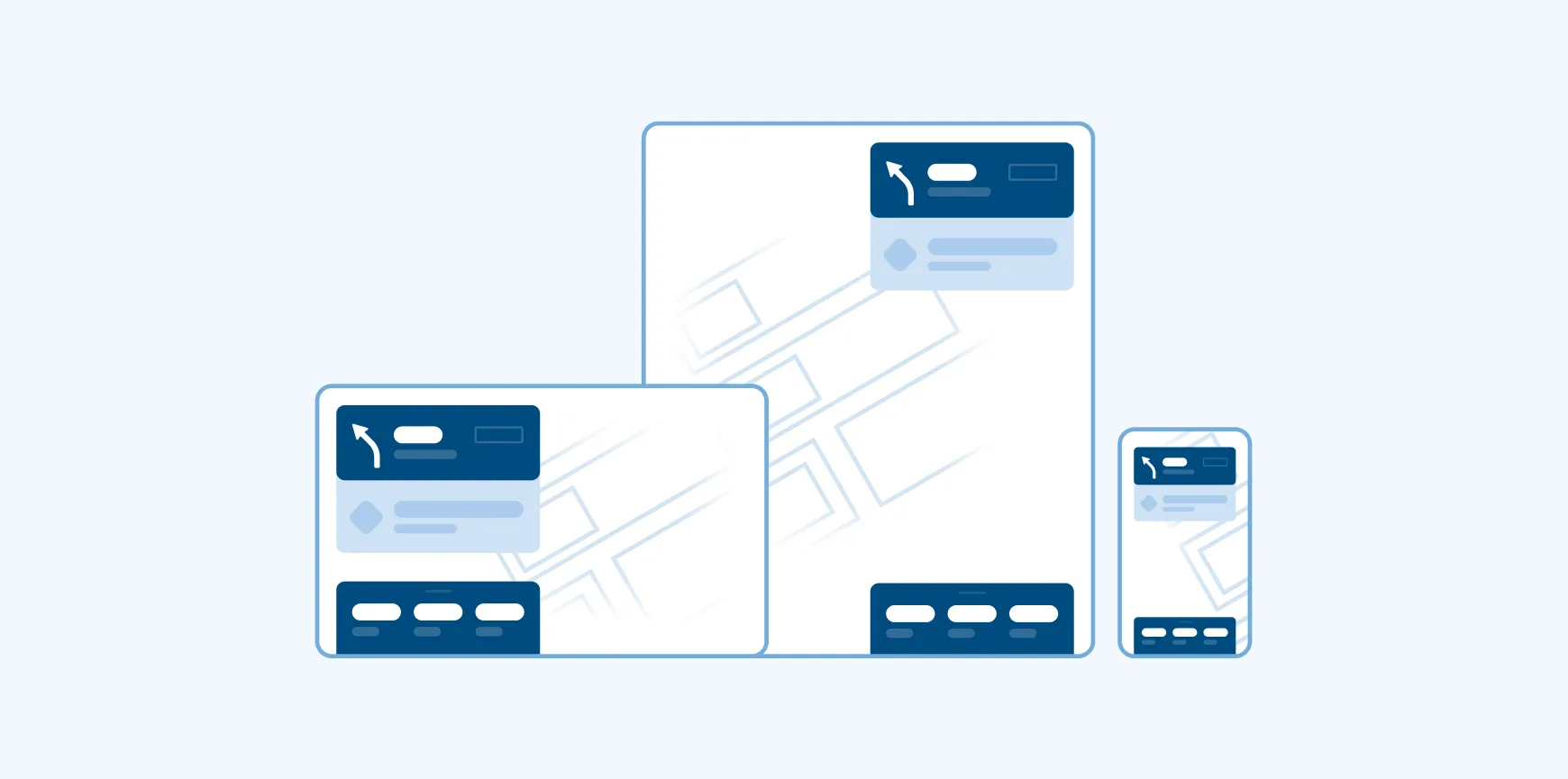
Automotive displays vary significantly in size, orientation, and available screen space. The Adaptiveness Framework ensures that the UI dynamically adjusts to these diverse environments, offering a consistent and intuitive user experience across devices - from compact displays to wide-format dashboards.
This framework applies only to Center Stack Displays (CSD). Other in-vehicle screens, such as clusters or HUDs, are out of scope.
Activities
Activities define the different levels of functionality and layout configurations the app provides. Each activity is designed to align with specific usage contexts and the available screen size or container dimensions. The framework categorizes activities into three types:
- Full app
- Mini app
- Micro app
Full app
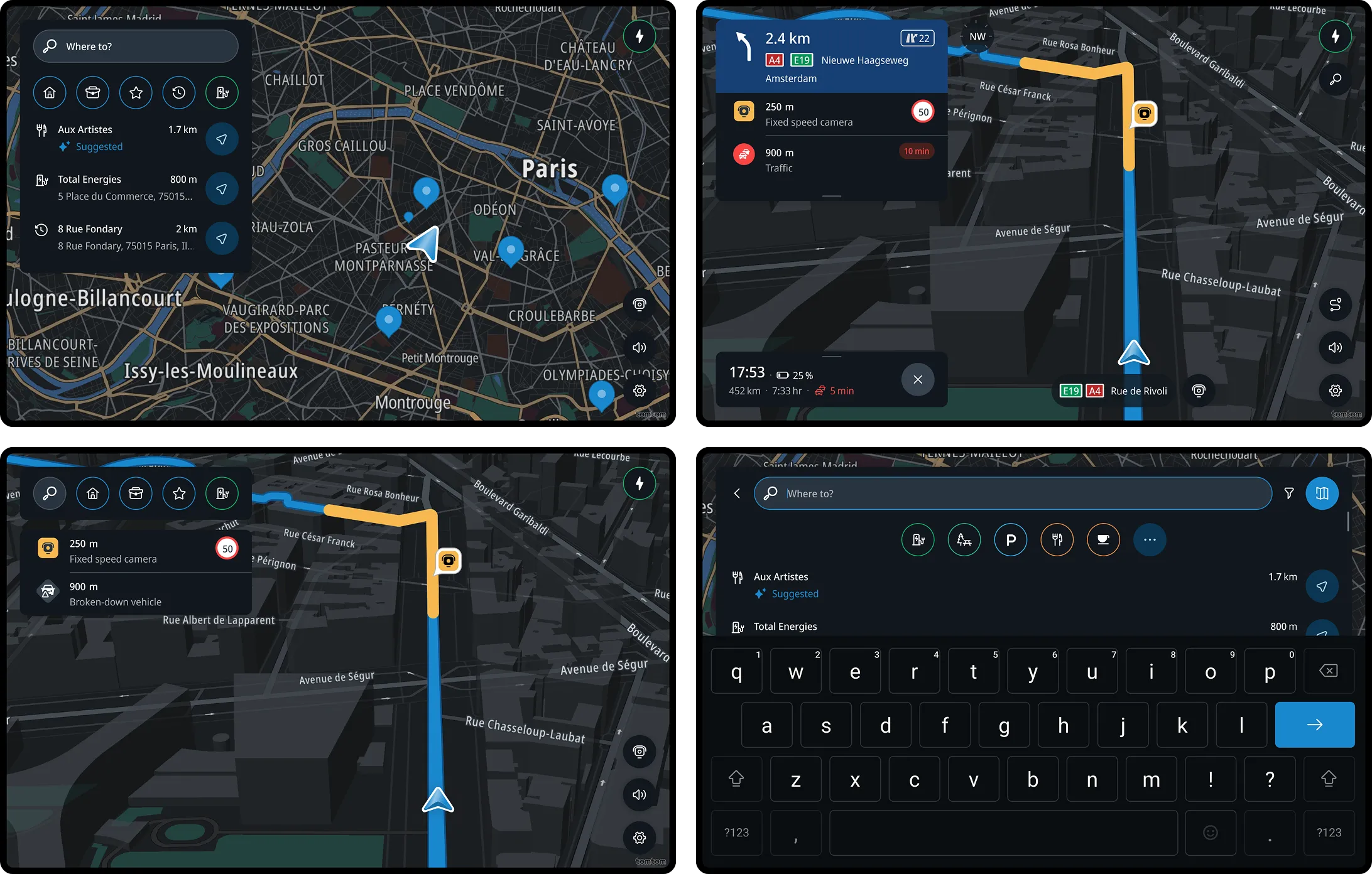
The complete navigation solution for in-depth interaction. It includes all core and supporting experiences such as search, location preview, route planning, driving with and without route, arrival, map exploration, settings, and optional services like weather for a comprehensive driving experience.
Optimized for: Screens starting from 8” and up. While the framework can adapt to smaller screen sizes, the experience may become more constrained, and in those cases, the Mini app is typically a better fit. The Full app provides the best value on larger displays where there is more space for panels and extended features.
Mini app
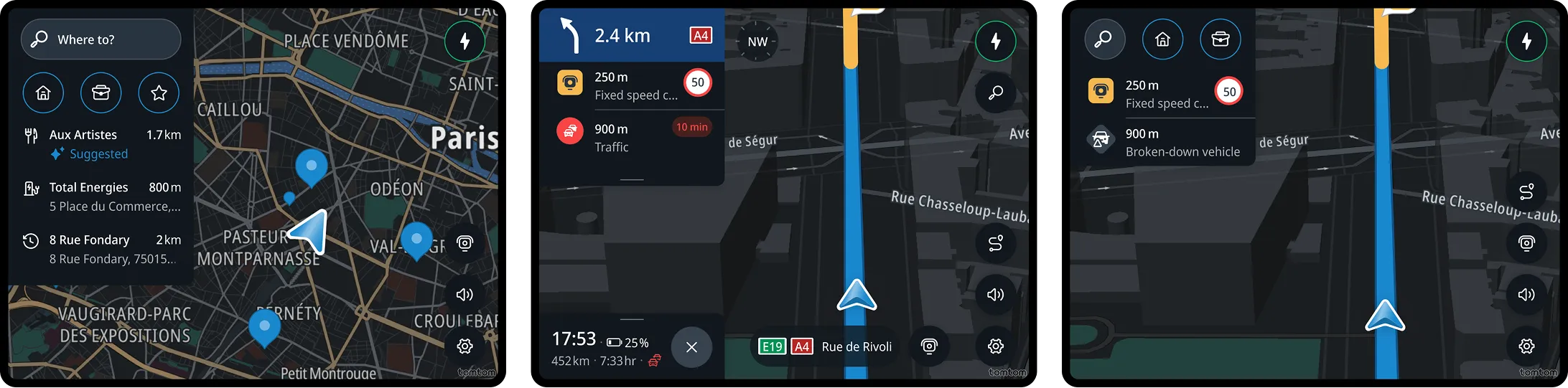
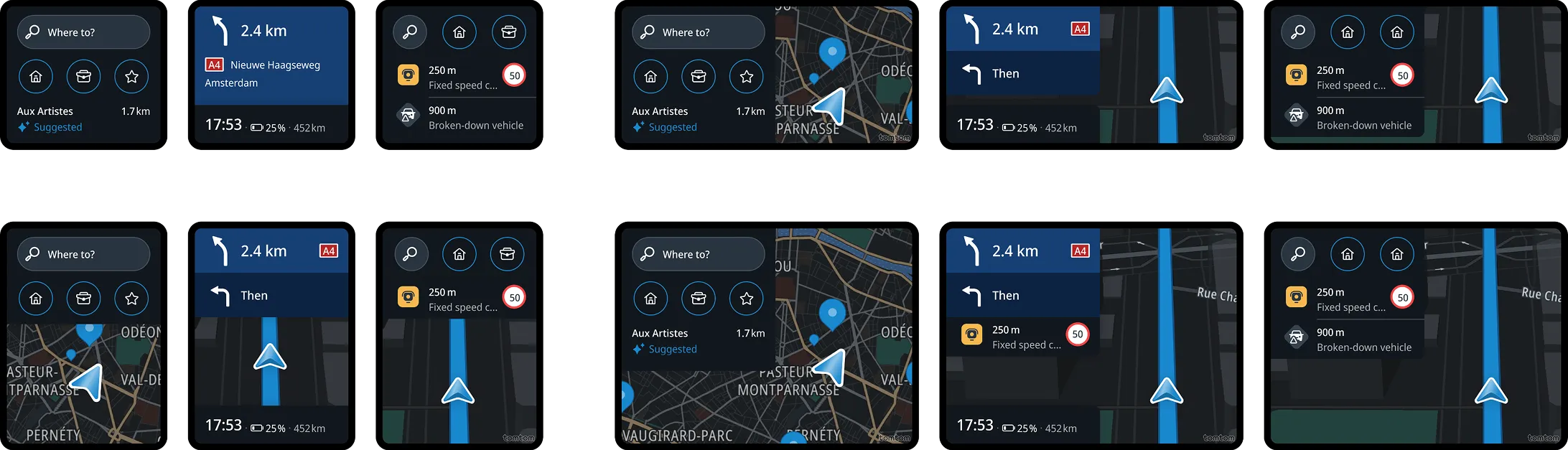
Offers core navigation experience during driving in a compact format. It includes one-tap actions to navigate to favorite locations or smart recents, driving without a route, guidance during active navigation, ending a route, arrival, and a quick settings menu. A map is always visible and supports advanced interactions such as tapping locations or pinching. Complex interactions, like entering a search query, selecting from a list of POIs, or accessing full settings, redirect to the Full app.
Optimized for: Containers typically ranging between 5” - 9” in size.
Micro app
Provides minimal driving-related features, focusing on essential navigation information while allowing the display to prioritize media and other vehicle controls. Interaction is very limited - it includes one-tap to navigate to favorite locations, or smart recents, driving without a route view, guidance during active navigation, and arrival. Map interactions are disabled, and the map may be hidden in extremely small spaces. Tapping the map, or initiating any complex interaction, transitions the user to the Full App to access interactive features.
Optimized for: Very small containers, typically ranging 3” - 7”.
Transitions
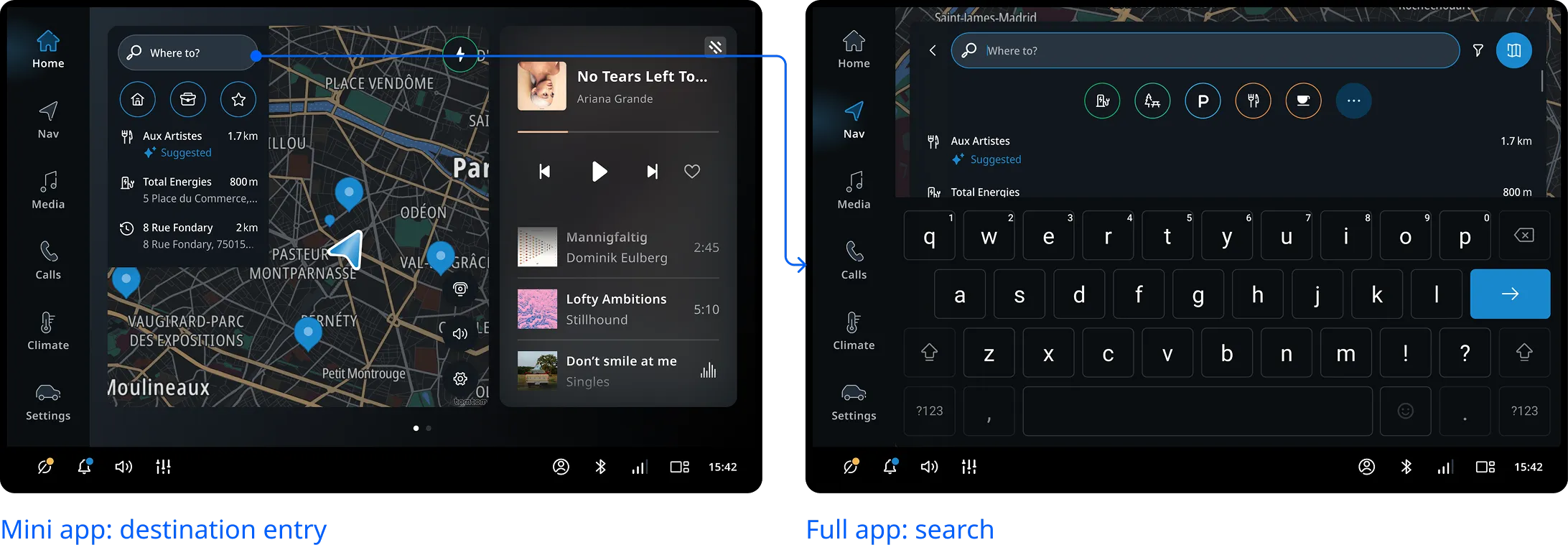
In Micro and Mini apps, users can complete lightweight interactions such as starting guidance to home or work. However, when deeper engagement is required, like launching a search flow or routing, the system transitions from Micro or Mini to the Full app to ensure the best possible experience.
How the UI adapts
The adaptive behavior is determined by real-time screen space and contextual needs. It includes:
Size modes
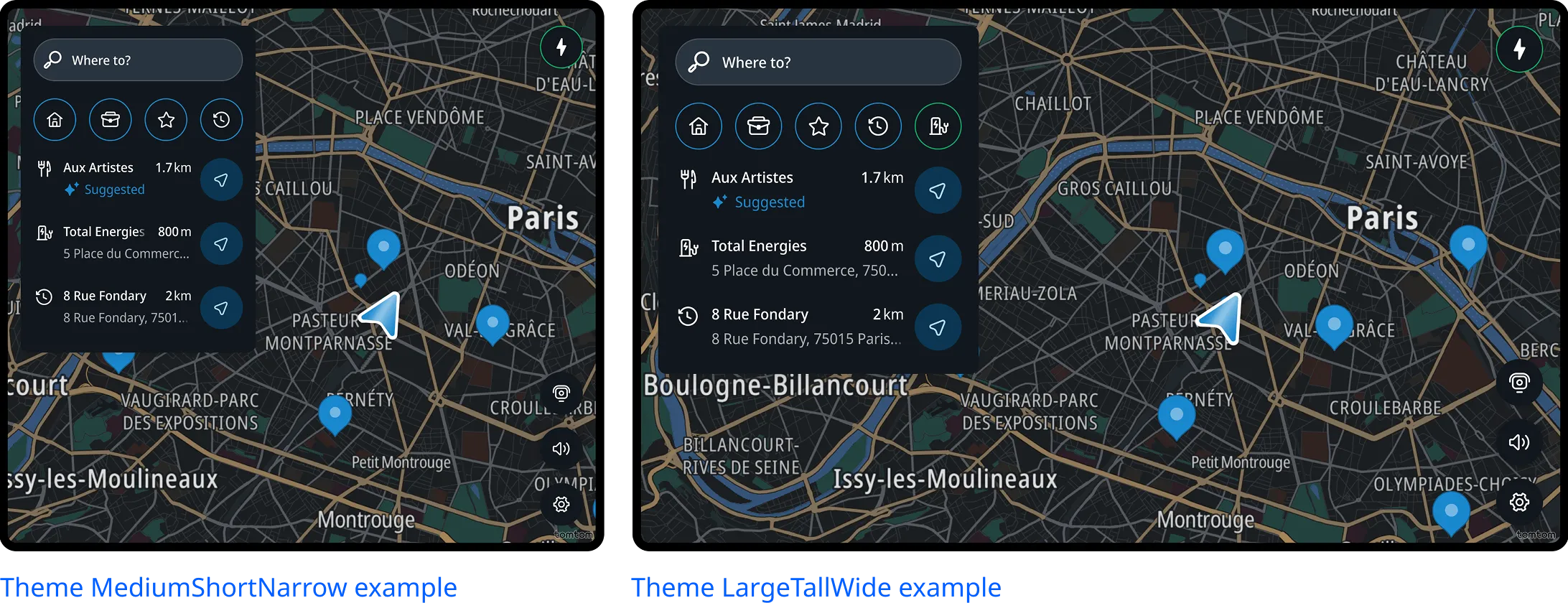
The UI uses predefined sizing modes (e.g. S, M, L) to scale typography, controls, and layout density. The system selects the most appropriate mode based on available width and height.
Component and panel adaptation
Panels and components adapt their structure and presentation based on the available screen space and the context of the current activity. This includes:
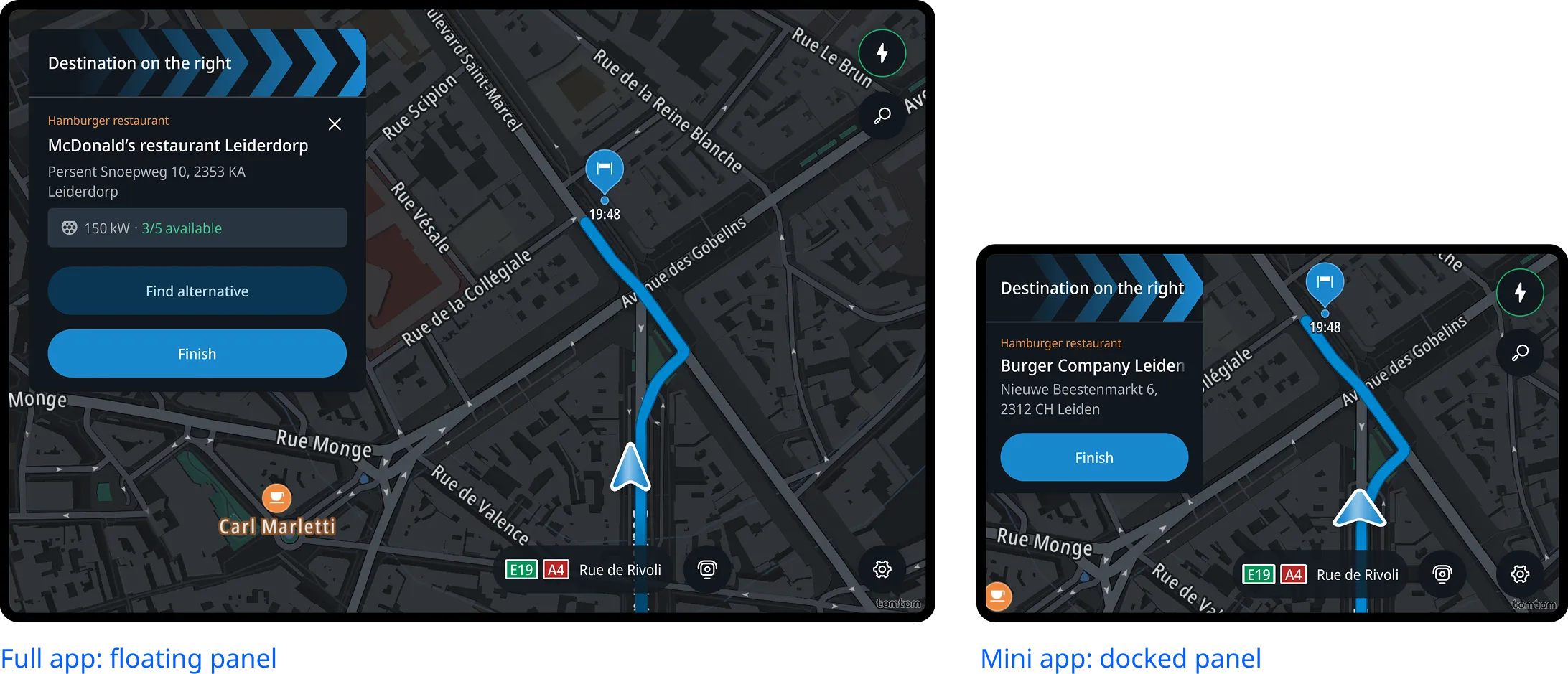
Reflowing grouped elements, such as buttons stacking vertically when horizontal space is limited.
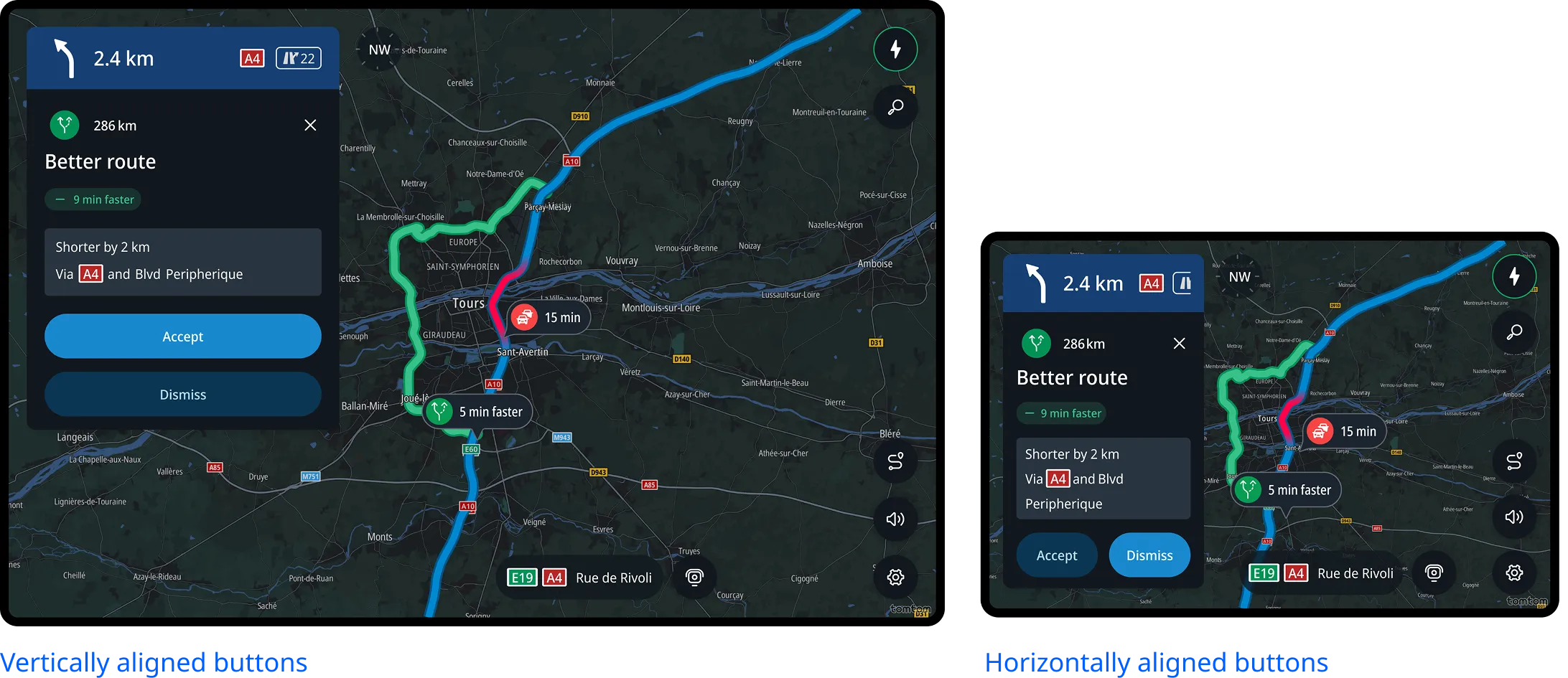
Using compact variants of components to fit reduced layouts while preserving clarity and usability.
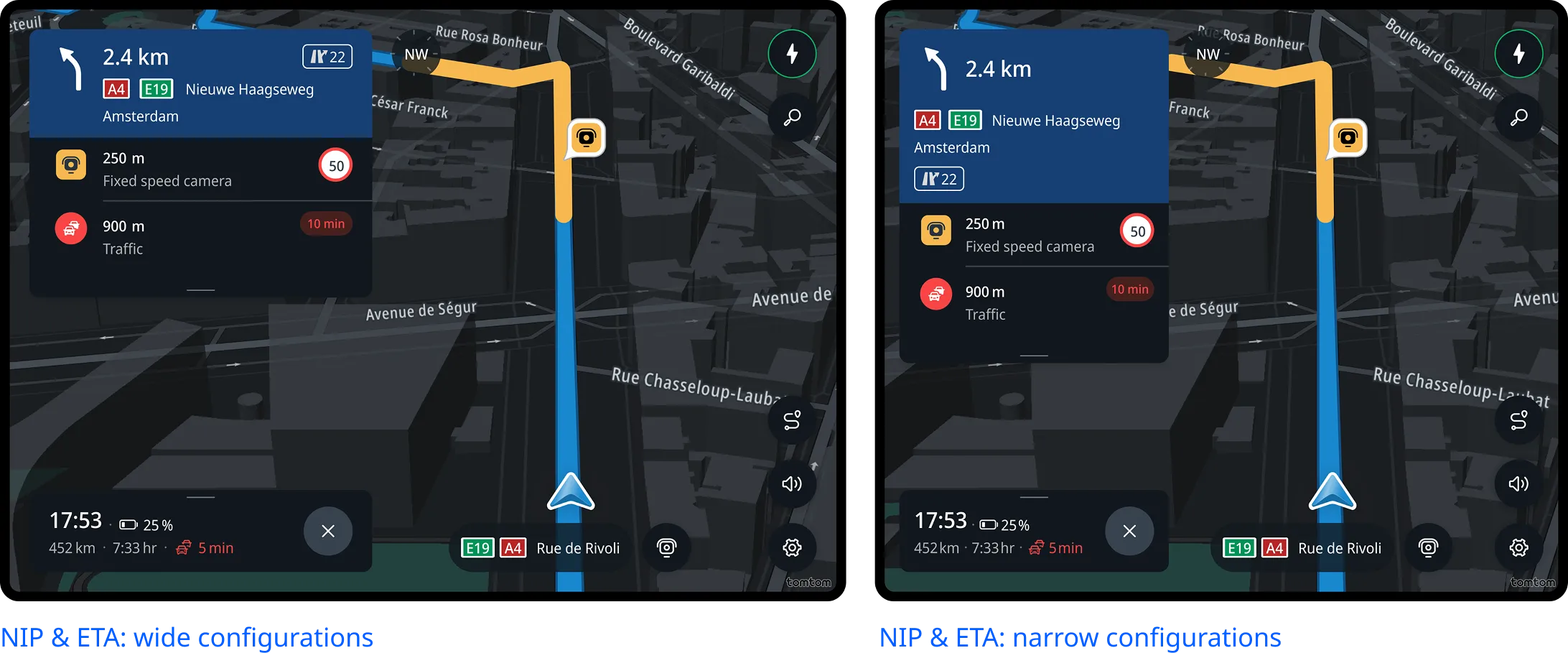
Applying progressive disclosure, where secondary actions are moved to an overflow menu or similar control when space is constrained.
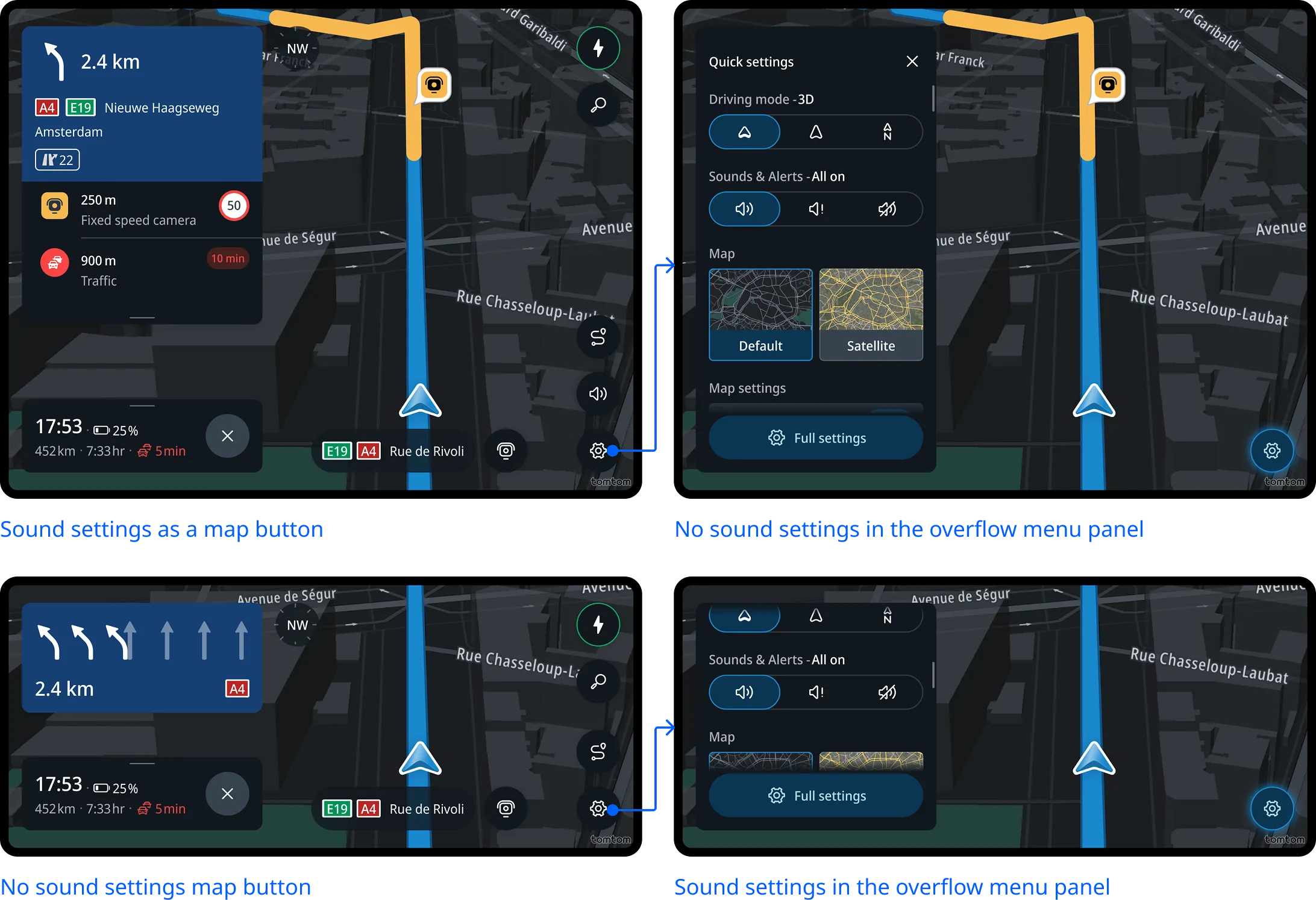
Content prioritization
Each experience defines which content is most important. If the space is limited, the system might hide lower-priority elements or entire sections to keep the experience focused and readable.
In task-focused experiences like Search or Routing, the UI prioritizes access to all necessary information. Scrolling or progressive disclosure is used to access full information, even in constrained spaces.
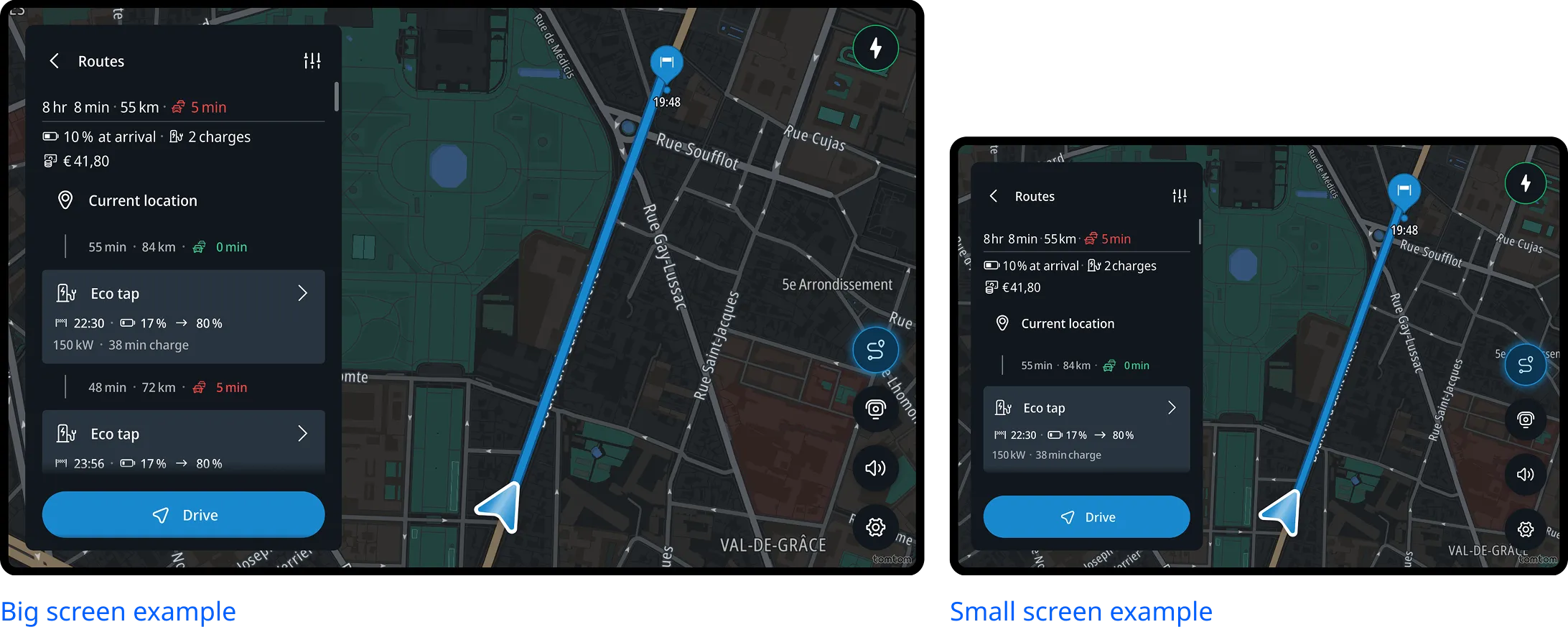
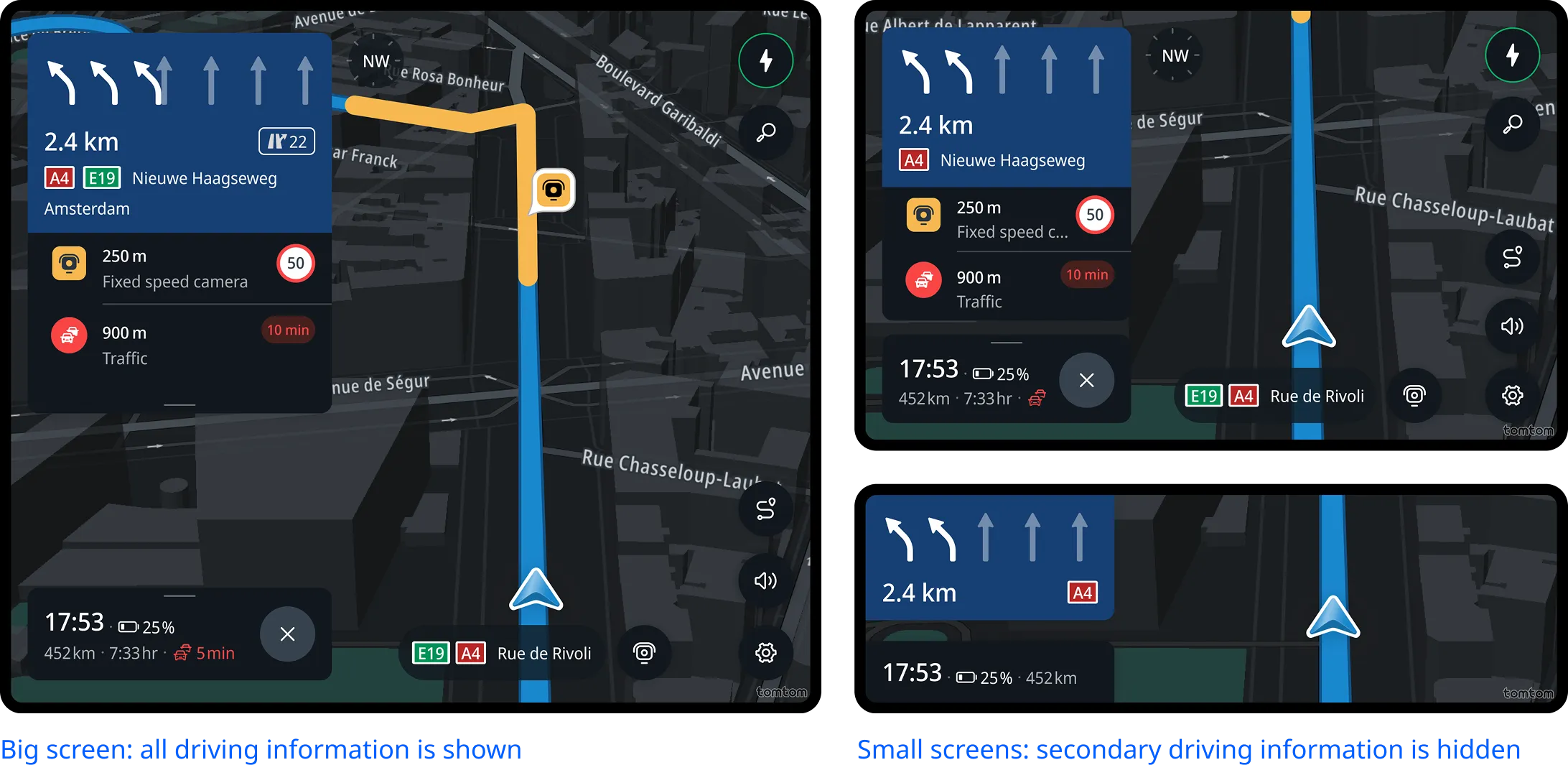
In driving-focused experiences, the UI reduces content directly as needed, by hiding secondary elements or collapsing lists, to maintain focus on key information like next instruction and lane guidance.
Customization Options
By default, panel size is determined automatically based on the available screen space.
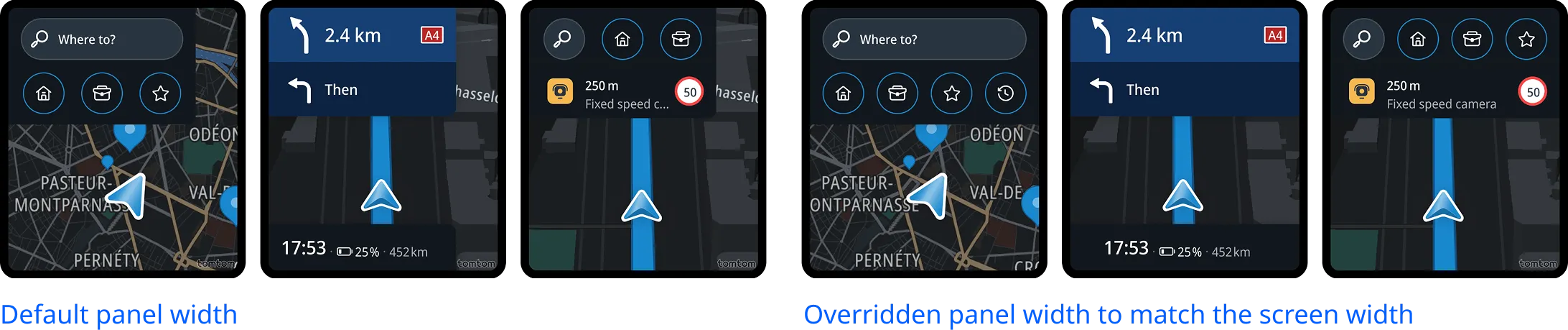
Horizontally, the framework uses predefined ratios to balance the panel and map areas, ensuring the layout remains clear and usable. However, OEMs can override the panel width to better align with their design vision.