Design tokens
Introduction
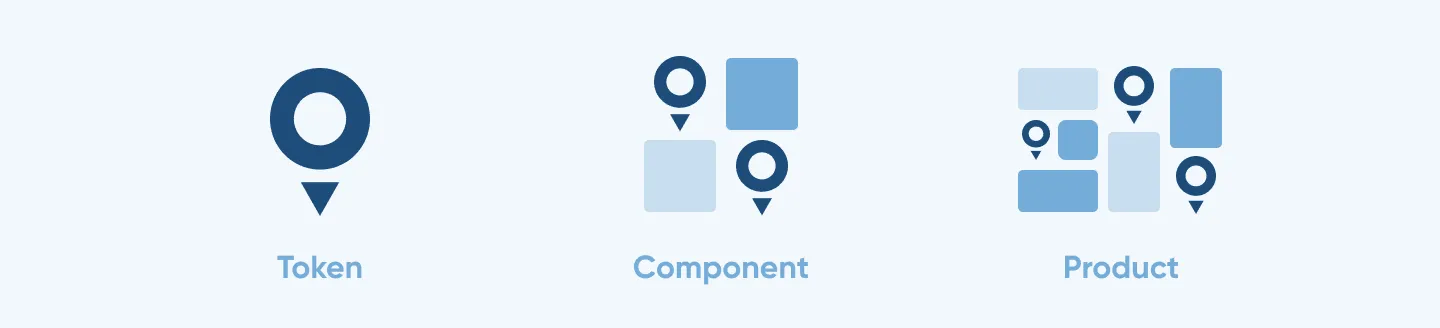
Design tokens are the core elements of a design system, representing the smallest reusable decisions—such as color, typography, spacing, and motion. They transform raw values into meaningful, human-readable labels, creating a common language between design and development. This shared foundation ensures consistency, scalability, and alignment across teams, tools, and platforms.
Benefit of using tokens
Design tokens provide a single source of truth for design decisions, ensuring consistent use of styles like color, typography, and spacing across platforms.
You can change the value of a token, making it easy to build up different modes (such as light and dark modes) to match your brand style. The system is flexible enough to support multiple brands and modes from one file. This improves scalability, speeds up development, and ensures a consistent user experience while enabling easier updates and better collaboration between design and engineering teams.
Token structure
Our design tokens follow a 3-tier structure. Each tier builds on the previous one, progressing from raw values to meaningful, component-specific tokens. This structure enables broad customization and fine-tuned adjustments.
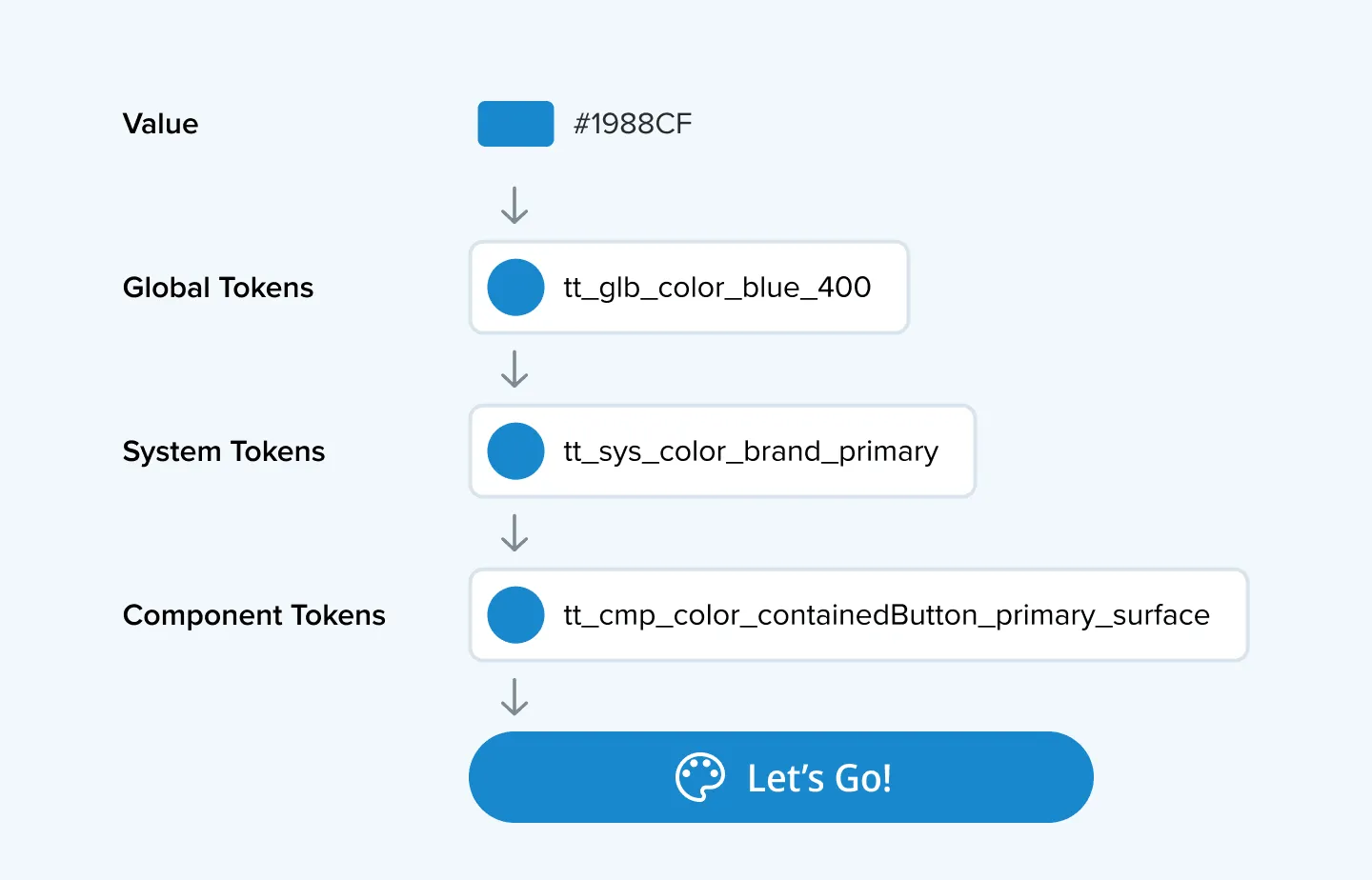
The Global → System → Component setup allows you to quickly add your brand colors and fonts, connect these values to our UI, and adjust specific components for your styling needs.
| Token type | Description |
|---|---|
| Global tokens | Global tokens are the foundation of the token system. They represent raw values such as HEX colors, numerical scale, or font family. These tokens are neutral and do not carry semantic meaning on their own. They exist to centralize core design values and simplify global updates. |
| System tokens | System tokens apply semantic meaning to the raw values they get from the Global level. They allow you to quickly make big style changes that are reflected throughout the UI. From this level, you can control the shade of surfaces or apply a brand color, adjust the overall radius, or the contrast of shadows. None of the tokens at this level is specific to a component. |
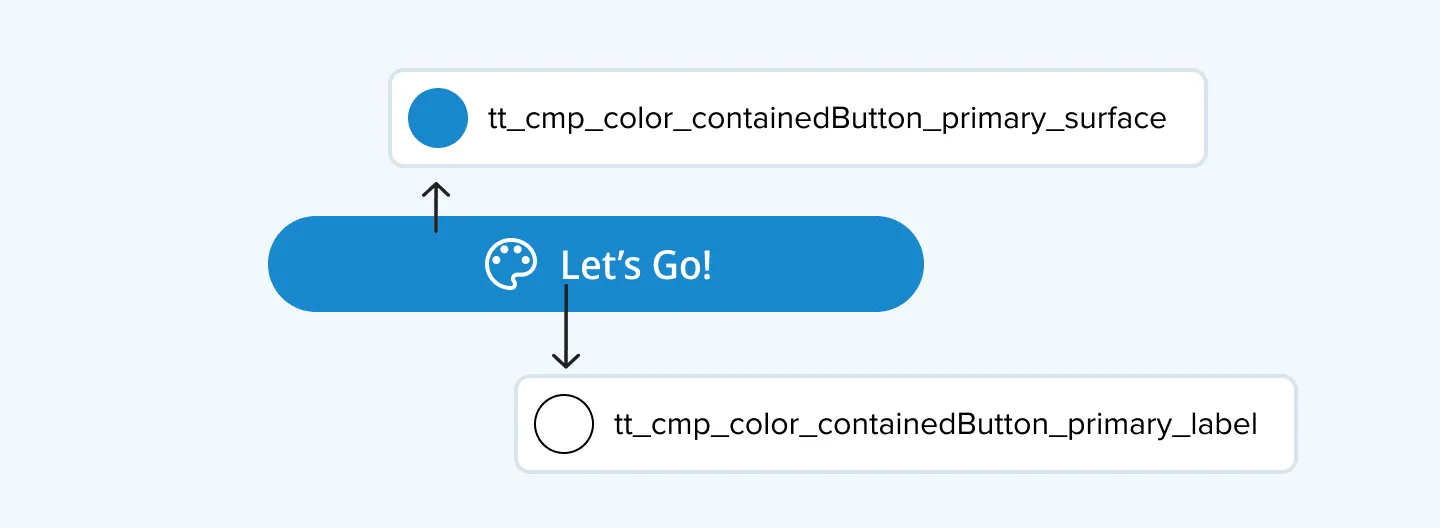
| Component tokens | Component tokens are the most specific. They apply system or global tokens directly to components. They define design decisions unique to a particular component, such as a primary button’s background color, a card’s corner radius, or the padding of a search box. Component tokens allow for fine-tuning because they can be used to override System values without breaking the overall structure. |
Token names
TomTom uses a structured naming convention for design tokens to ensure readability and scalability. The token names are constructed with increasing specificity as you progress from the first tier (Global) to the third tier (Component).
Token structure overview
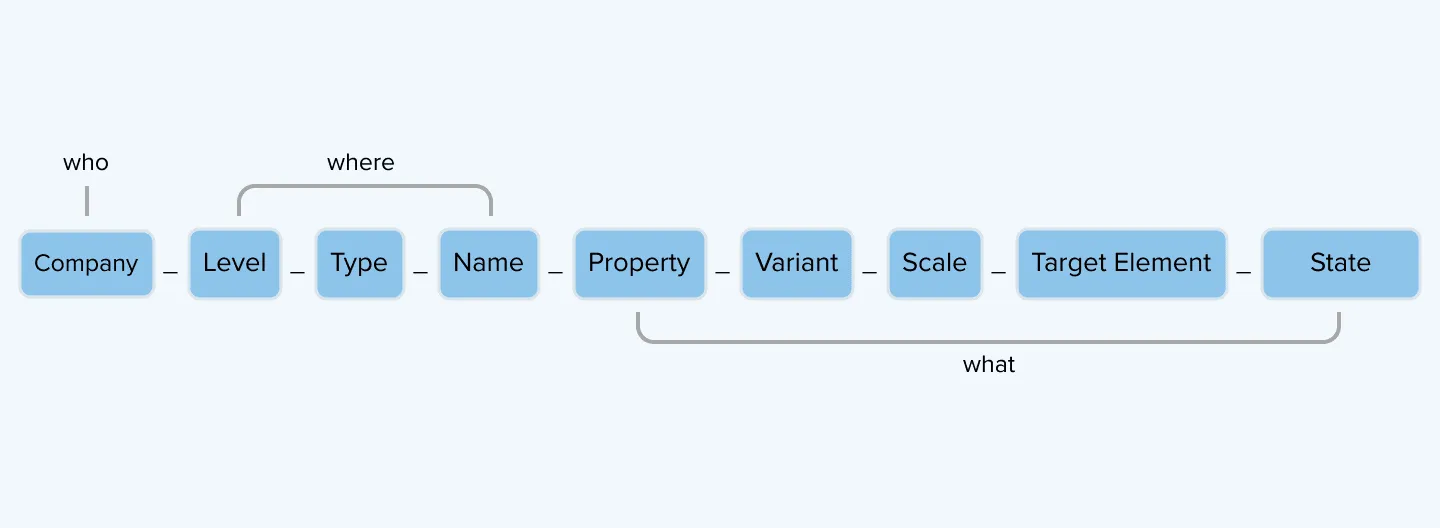
The initial parts of the token name (the who and where) are always present. The end of the token (the what) can be a combination of names, properties and more, but are always written in this order.
| Part | Description |
|---|---|
| Company // Prefix | Indicates which organization the token belongs to. We use tt (TomTom). |
| Level | Shows which tier of the system this token belongs to: glb (global), sys (system), cmp (component). |
| Type | Describes the style attribute: color, size, font, effect. |
| Name | Specifies what the subject of the token is known as. |
| Property | Describes an unnamed attribute, such as opacity. |
| Variant | Distinguishes between component options like primary & secondary. |
| Scale | Defines variations of size, weight, or intensity. Typically represented as numerical scales (100, 200, 300), t-shirt sizes (xxs–xxl), or weight (light, medium, heavy). |
| Target Element | Specifies a specific element within a component. |
| State | Represents interactive states like pressed, focused, and disabled. |
Design token examples
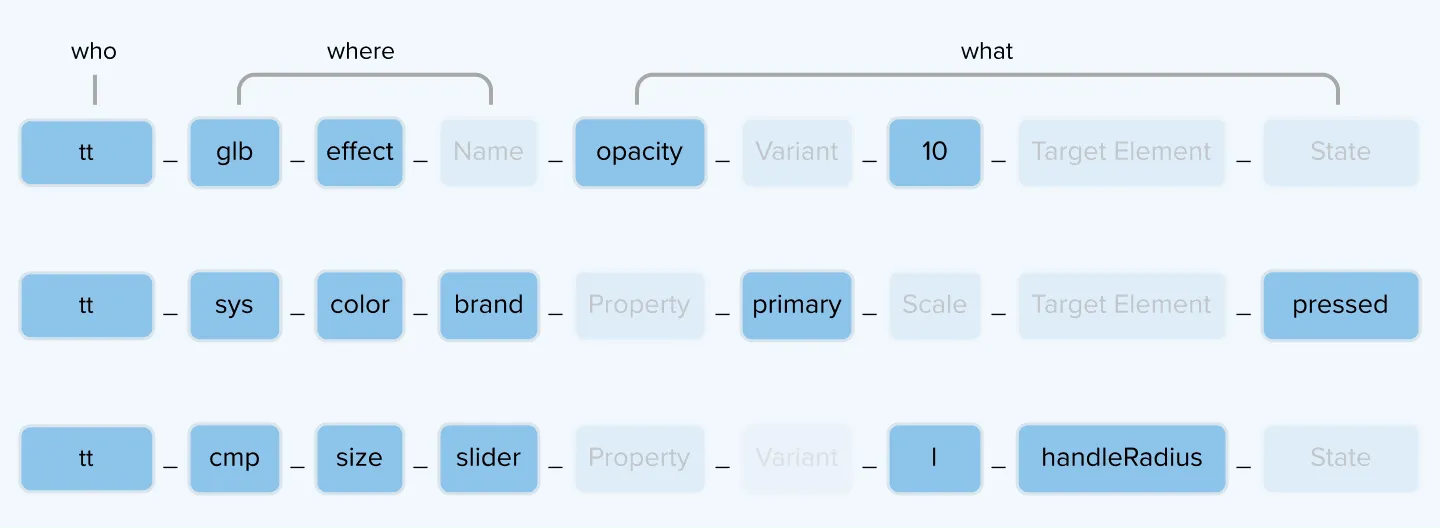
TomTom design token logic and naming principles
TomTom extensively uses semantic names at the system level for clearer intent.
| Type | Scale progression | Notes |
|---|---|---|
| Colors | brand, surface_primary, alert | Maps to broad role in the UI |
| Size, Scale, Weight, Radius | null, xs, s, r, m, l, xl | Defines the shape and size of the UI |
| Spacing | horizontal_xs, vertical_m, padding_l | Describes the space around and gaps between UI |
| States | pressed, hover, focused, disabled | Indicates that a UI element has a state change |
Additional notes:
- Alpha variants like
_a3,_a8indicate transparency levels. - Figma-only tokens are flagged to support designers without affecting production.
- Region-specific tokens exist (e.g.,
usaGreen,euBlue)
Themes and modes
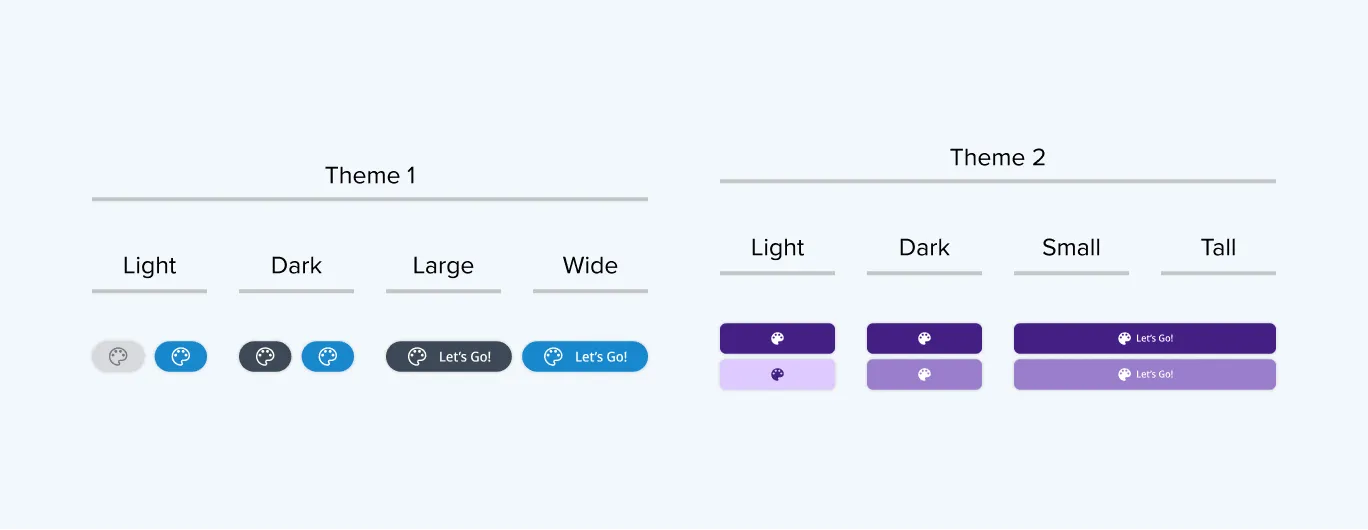
Using design tokens, we can define themes and apply any brand style to our UI, simultaneously styling components for use across multiple displays.
Modes refer to a specific token type (color, spacing or size) that has 2 or more variations (light & dark, large & small, tall & wide). While some token values stay consistent across modes, others vary. For example: the token that controls the surface colour will point to different values in light and dark mode.
Themes are collections of color, spacing and size modes that define how the overall interface looks, enabling quick and consistent customization of the user experience. They can be applied across various brands and car models. We have pre-defined themes (a collection of modes) that support most screen sizes out of the box.
Our product can support multiple themes and modes depending on the client’s needs.