Left- and right-hand driving
Request accessOverview
The user experience is optimized for both left-hand drive (LHD) and right-hand drive (RHD) vehicles.
By adapting the layout—e.g. based on the position of the driver’s seat—easy accessibility is ensured.
Key aspects
- Physical reachability: Enhances the physical reachability of key interactions for users.
- Functionality optimization: Focuses on the most likely used functionalities, particularly for RHD layouts on wide landscape-oriented displays.
- Layout: Layouts stay intact. Meaning changes are made on a layout level; the content inside the panels remains the same.
Panel alignment
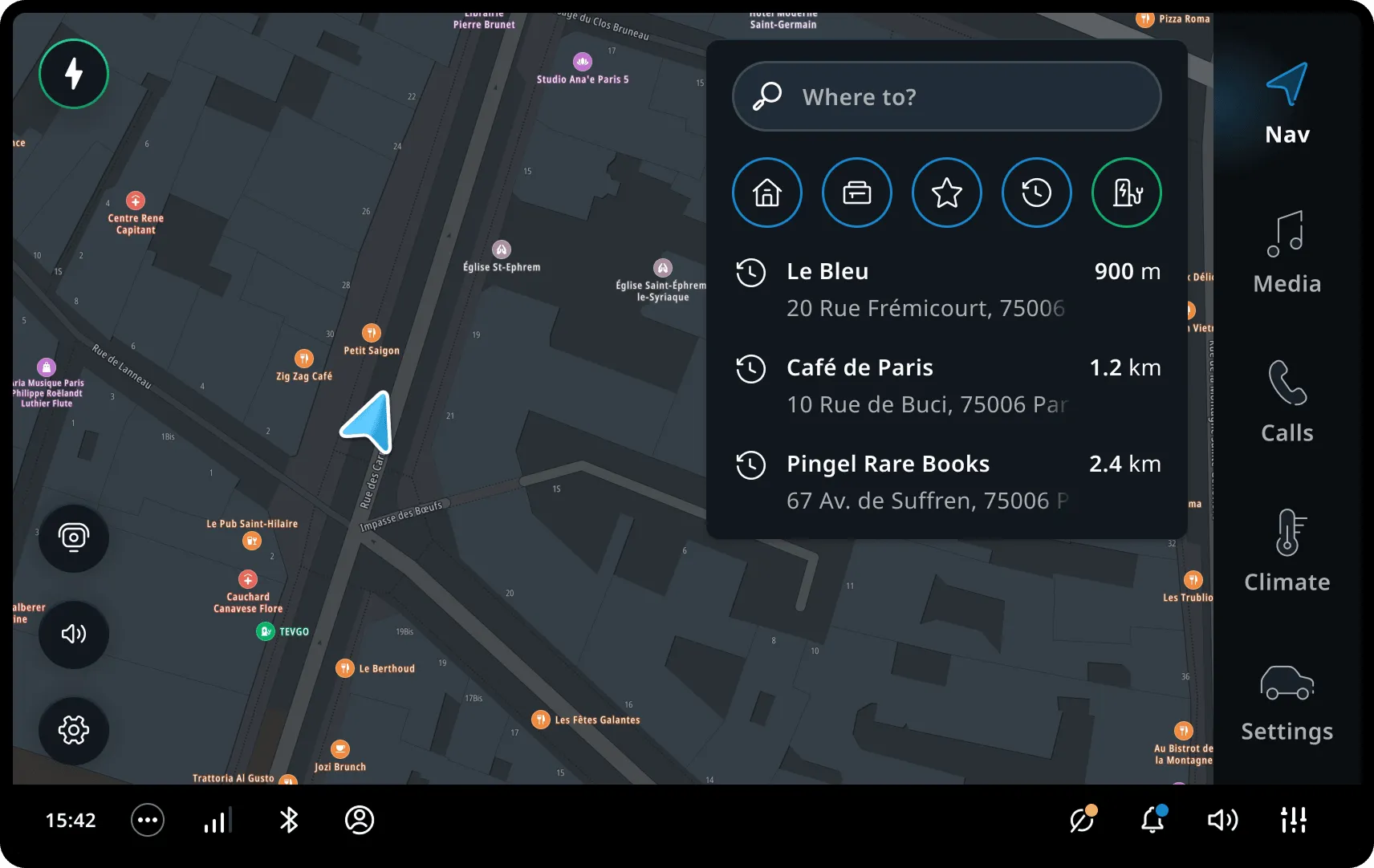
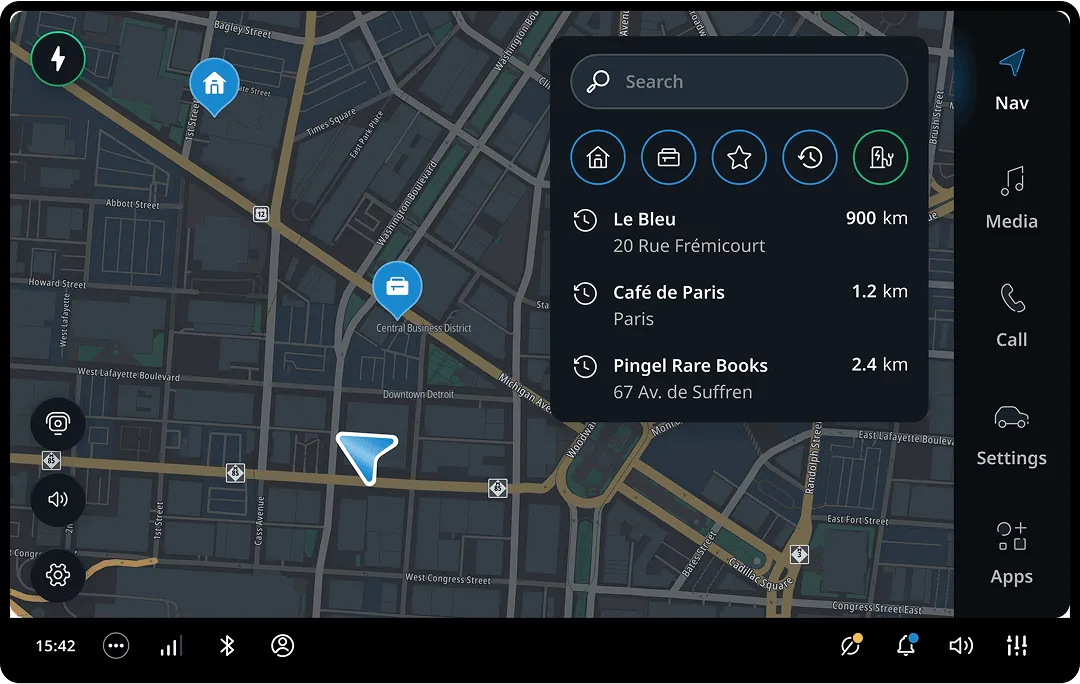
Panels are primarily aligned to the left side of the screen for LHD vehicles.
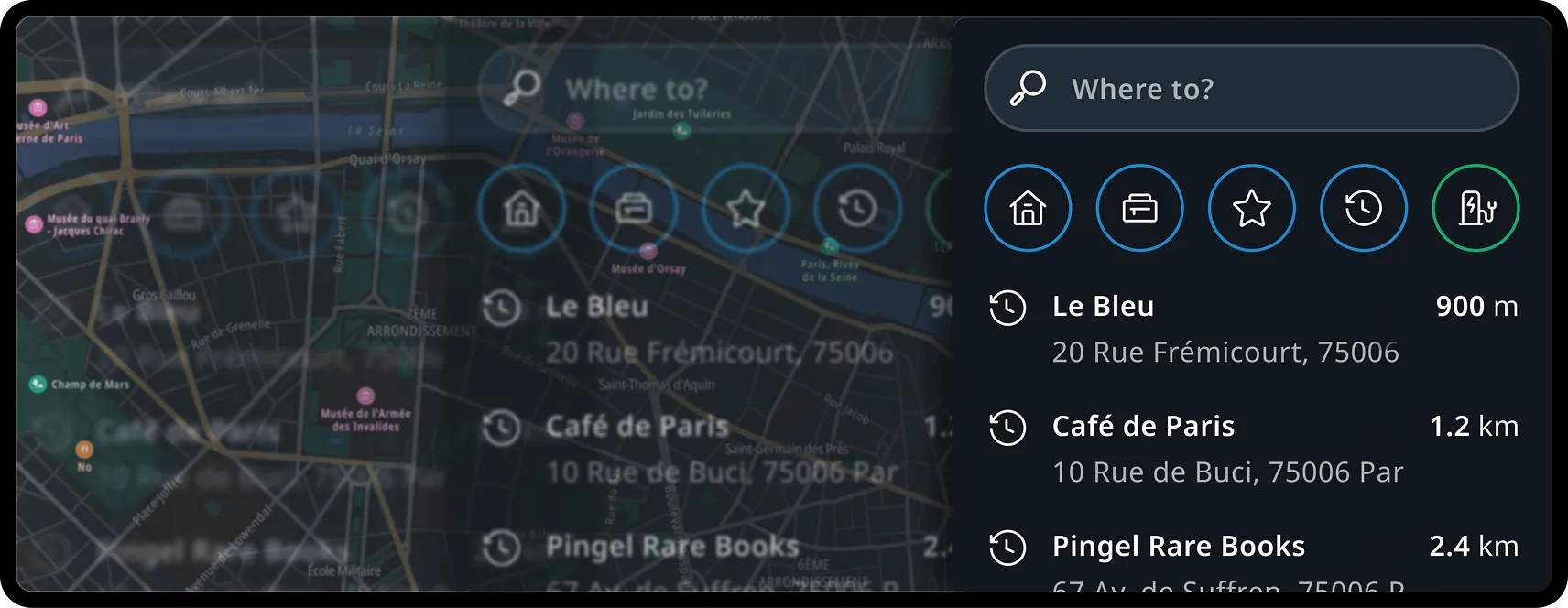
For RHD vehicles, we flip the layout and move panels to the right side of the screen to improve accessibility without altering the order of displayed content.
Content management
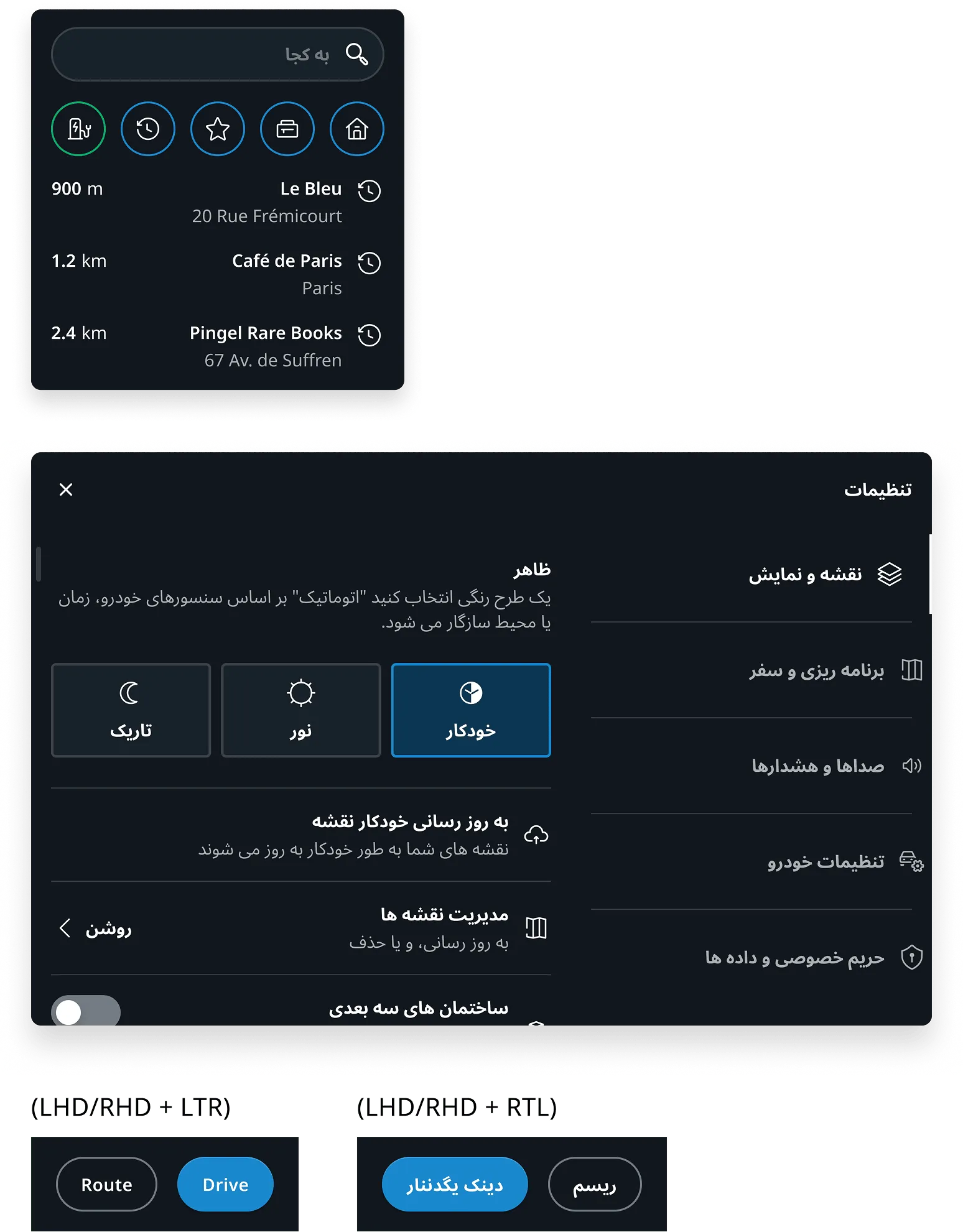
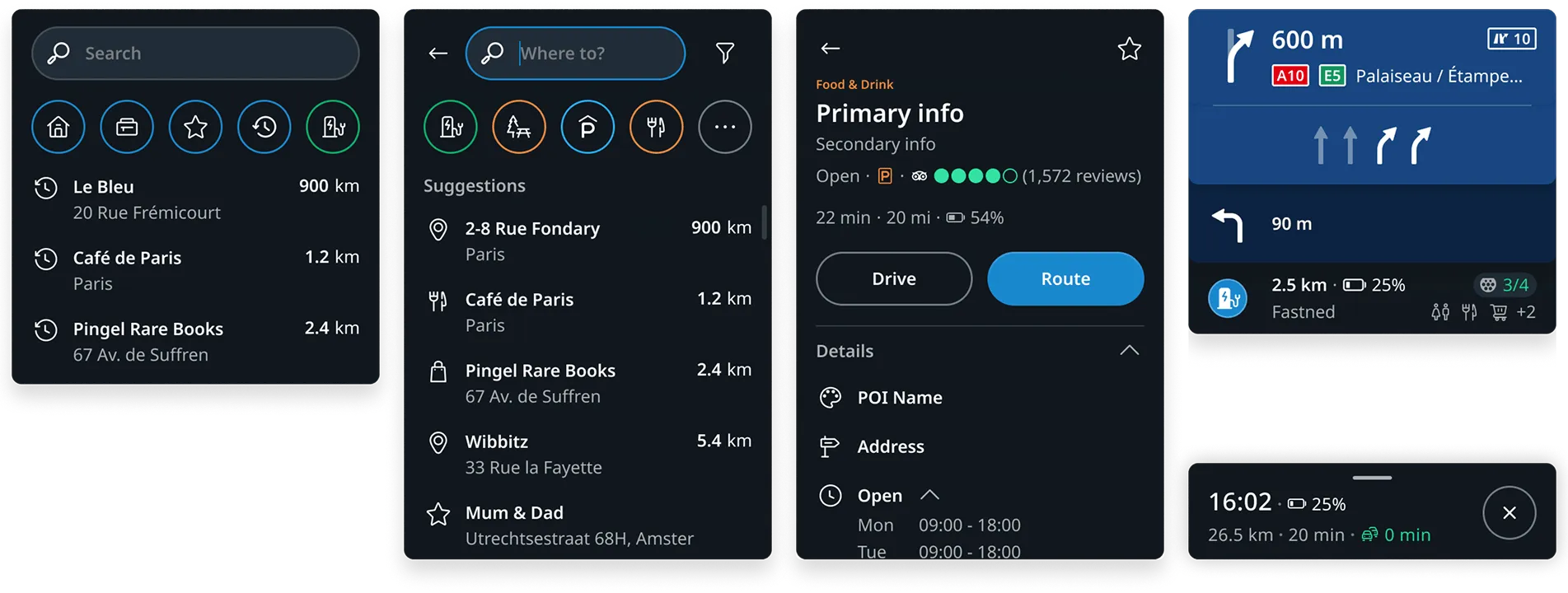
While layouts may be moved or mirrored, the content within containers remains unchanged, adhering to the reading order of the active language.
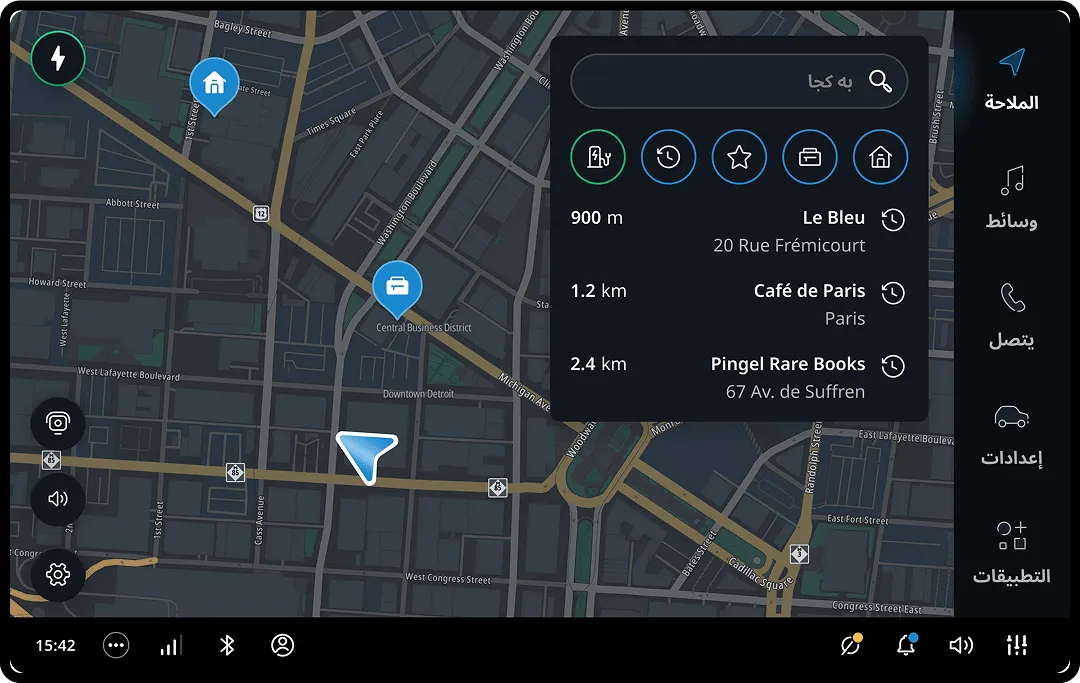
RHD layout doesn’t impact right-to-left (RTL) languages—they are managed independently.
RHD content across experiences:
RHD + LTR example:
RHD + RTL example:
Map buttons
In RHD vehicles, all buttons on the map are aligned to the opposite edge of the screen, with controls mirrored in a horizontal line.
Essential functions are grouped logically.
Full screen experiences
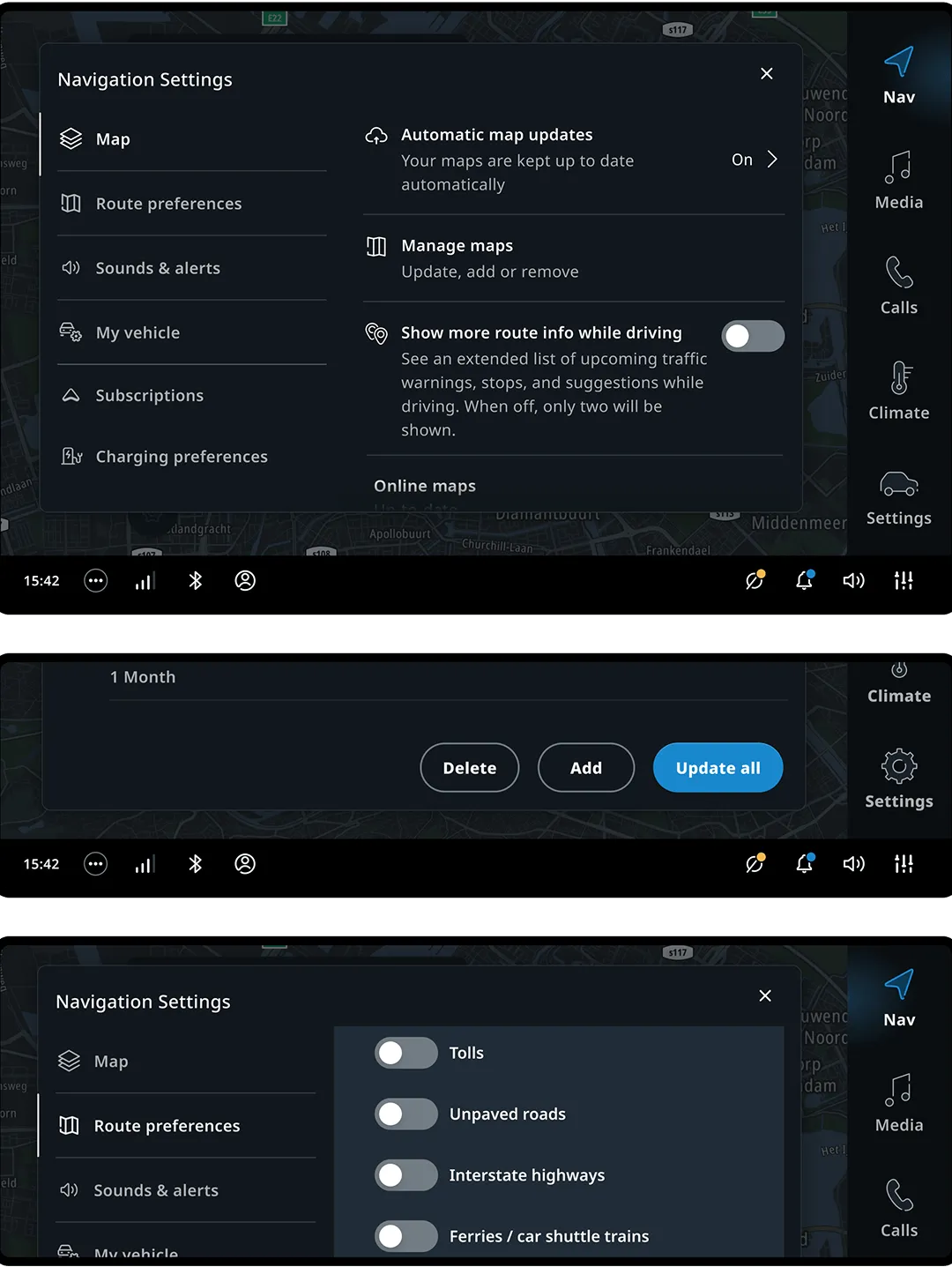
Full-screen components aren’t mirrored. The emphasis is on glanceability and maintaining the reading order, as these experiences should not be interacted with while driving.
-
Action buttons are right-aligned in full-screen experiences for both LHD and RHD vehicles, enhancing usability for right-handed users.
Error messages, however, have center-aligned buttons to ensure visibility. -
List views are displayed in full screen to improve targetability, with visual emphasis on the target area to enhance reachability.
-
Headers remain unchanged, preserving their hierarchy and placement conventions.
RTL languages considerations
The content for RTL languages is mirrored within the panels, without impacting RHD layout changes.
The buttons are aligned according to the reading order of the language, with LTR languages having buttons on the right and RTL languages on the left.