Weather app
Request accessOverview
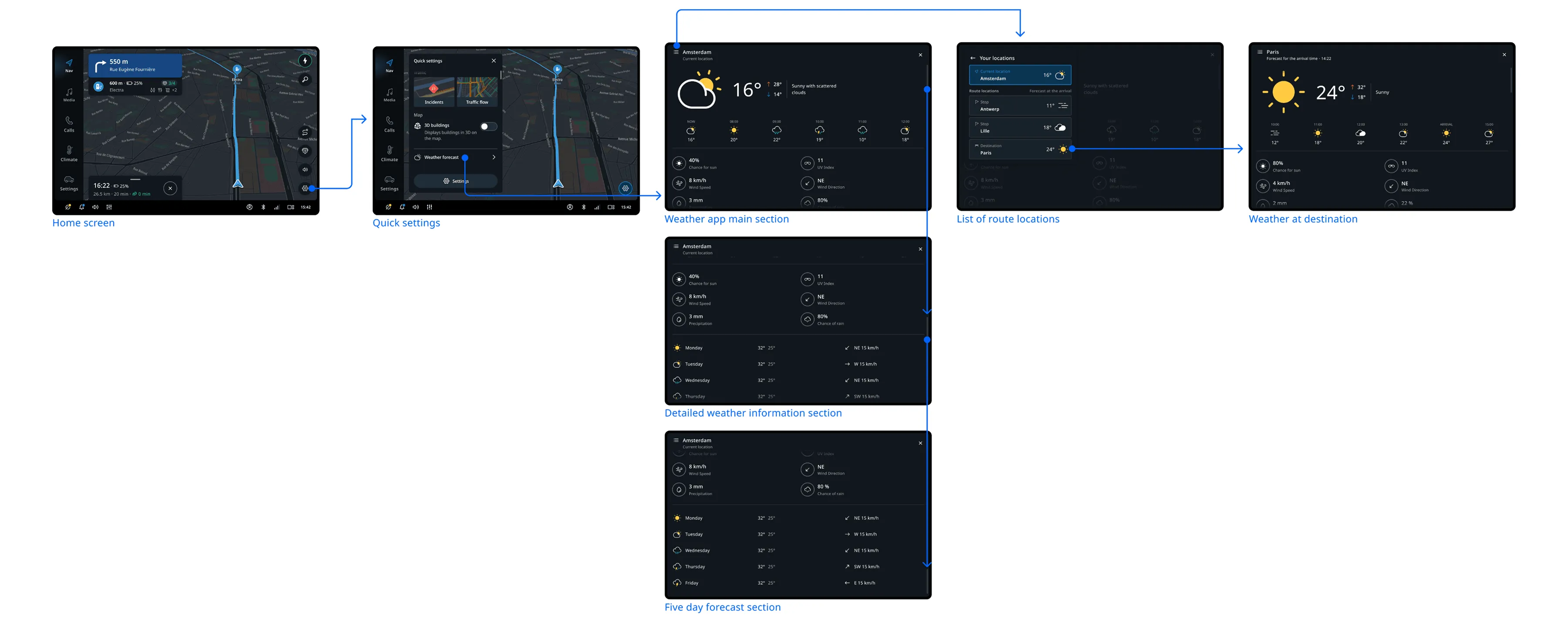
The weather app provides you with detailed information on weather conditions that might affect your journey.
When driving with a route, you can access weather forecasts for your current location, your final destination, and all planned stops.
Forecast information
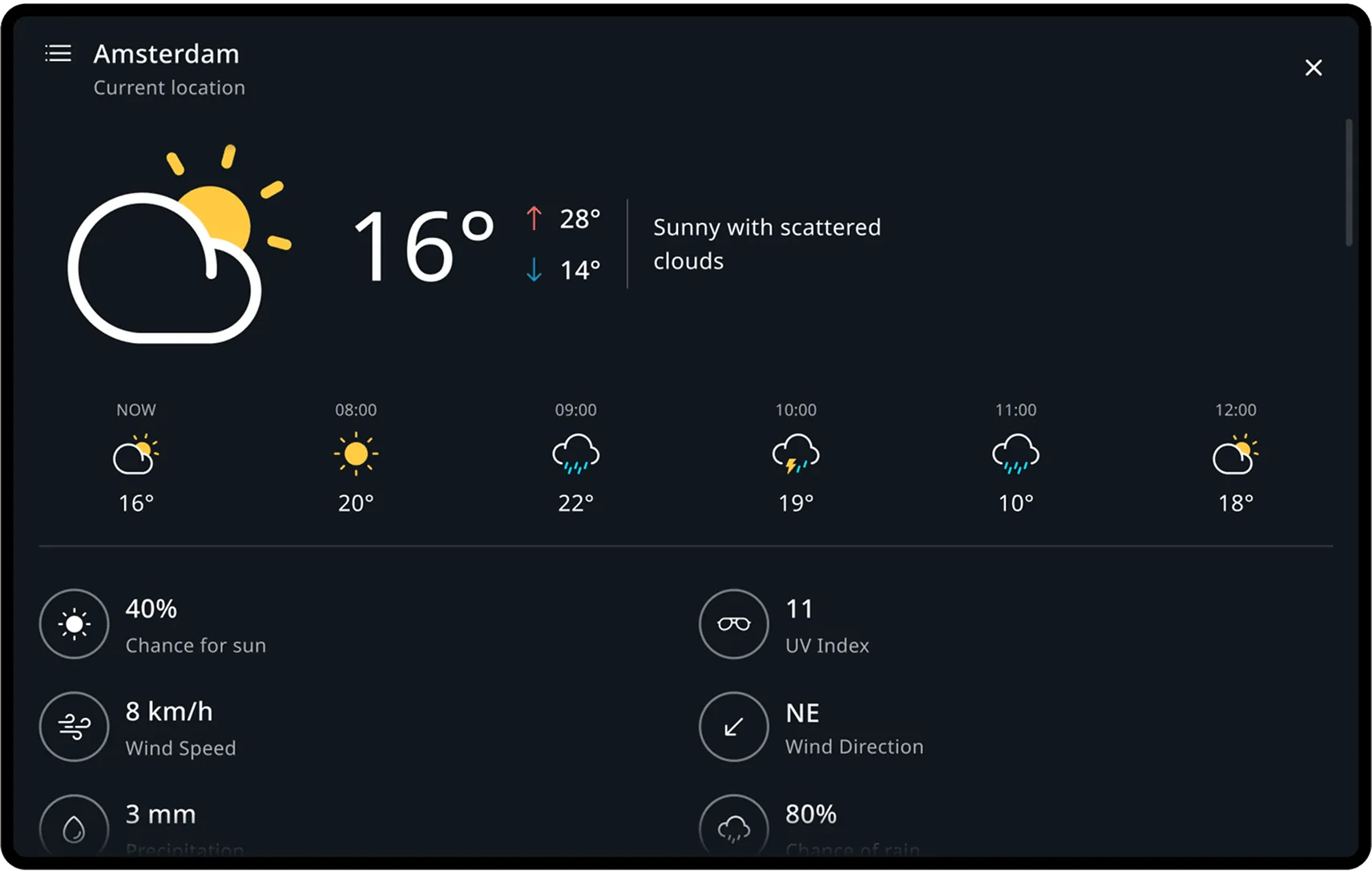
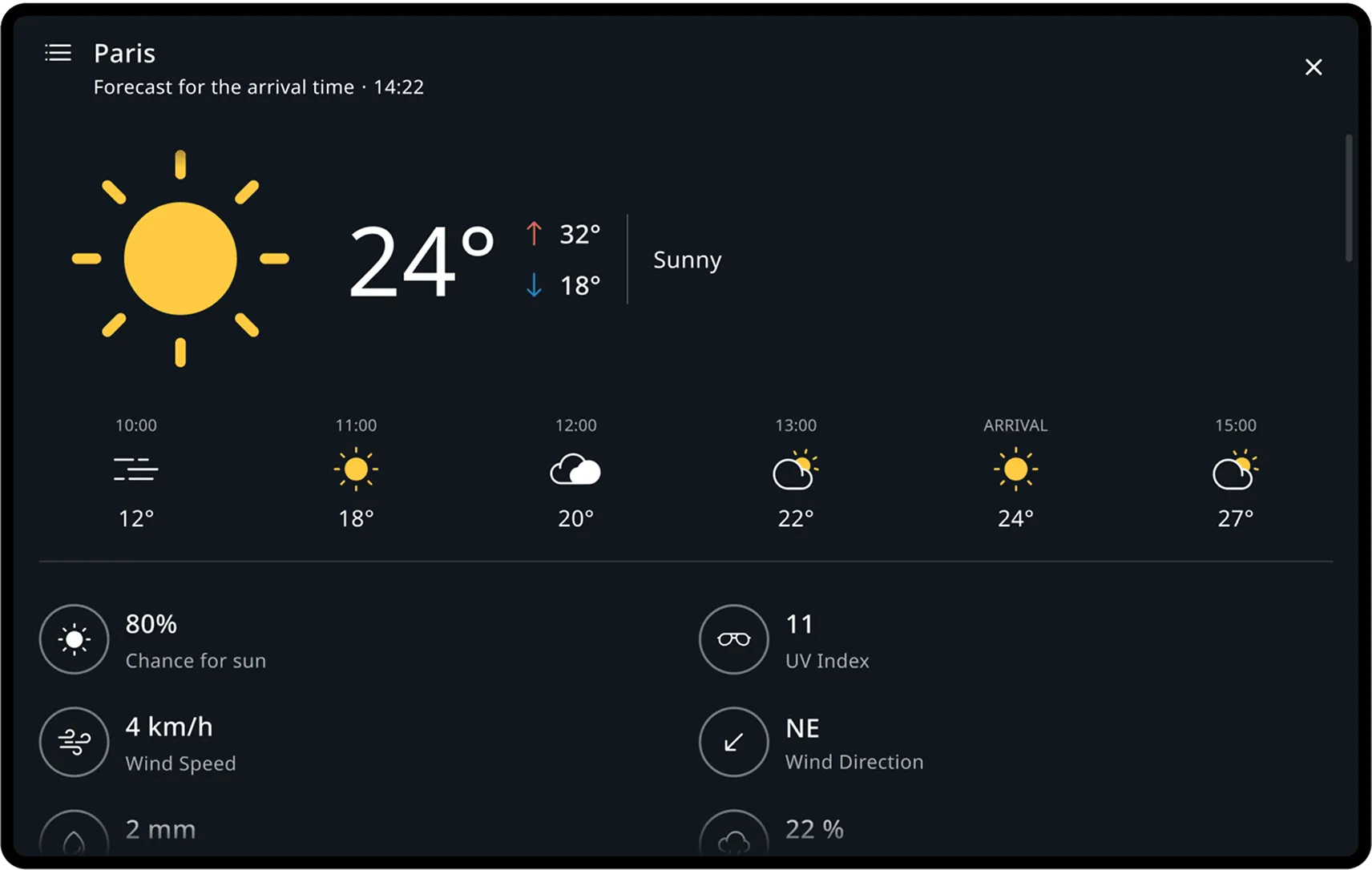
Upon entering the app, users can access general weather information for their current location in its main section.
This includes:
- A visual representation of weather conditions, along with a short description
- The current temperature and changes during the day
- An hourly forecast for the next 6 hours
Detailed weather and 5-day forecast
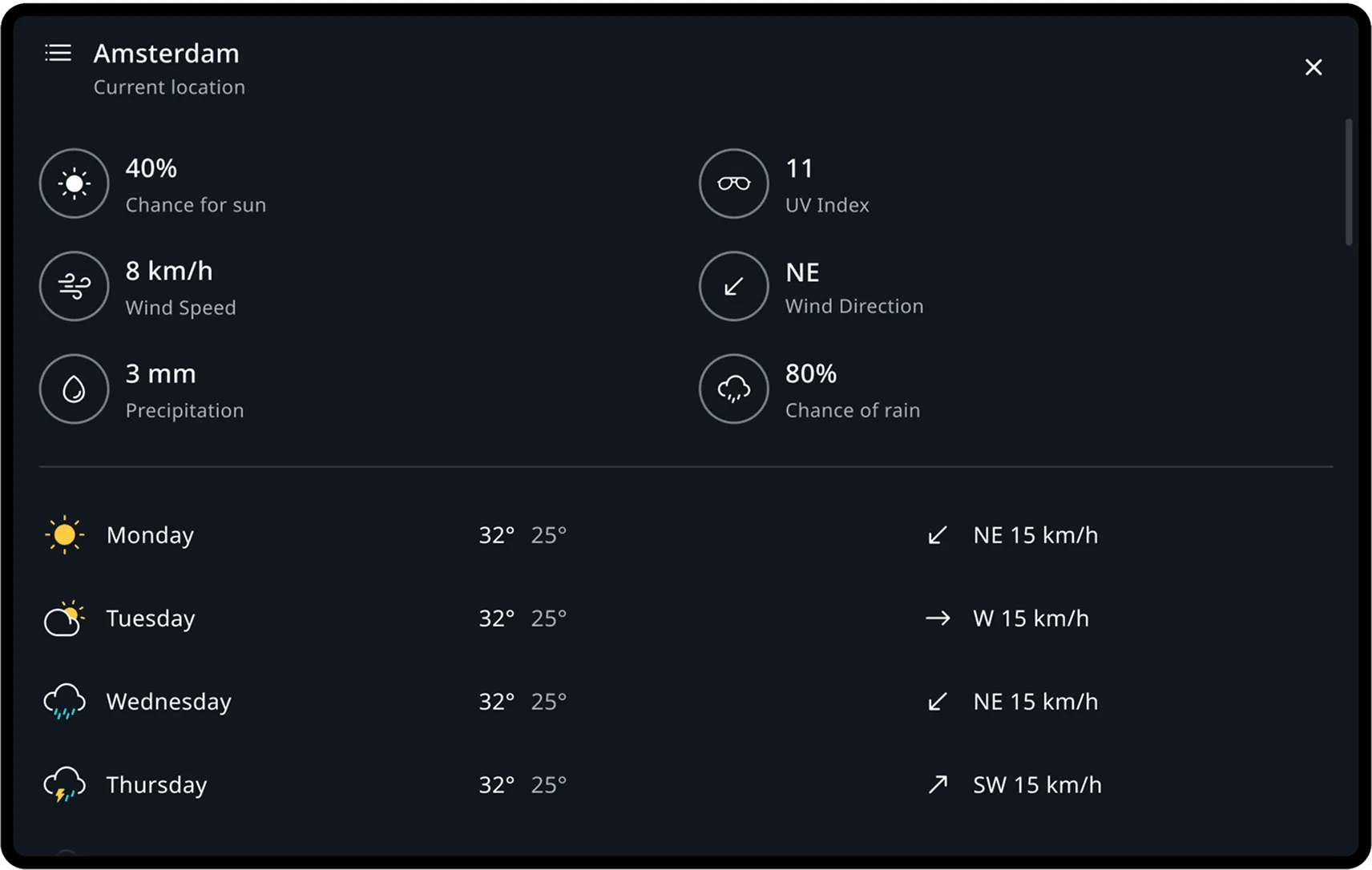
At the bottom of the screen, the driver finds detailed information about the weather conditions at the selected location and a five-day forecast.
Detailed weather information includes:
- Chance for sun
- Wind speed
- Precipitation in millimeters or inches
- UV index
- Wind direction
- Chance of rain
The forecast for the next five days includes:
- Visualization of weather conditions
- Temperature variations throughout the day
- Wind direction and speed
Forecast for the final destination and planned stops
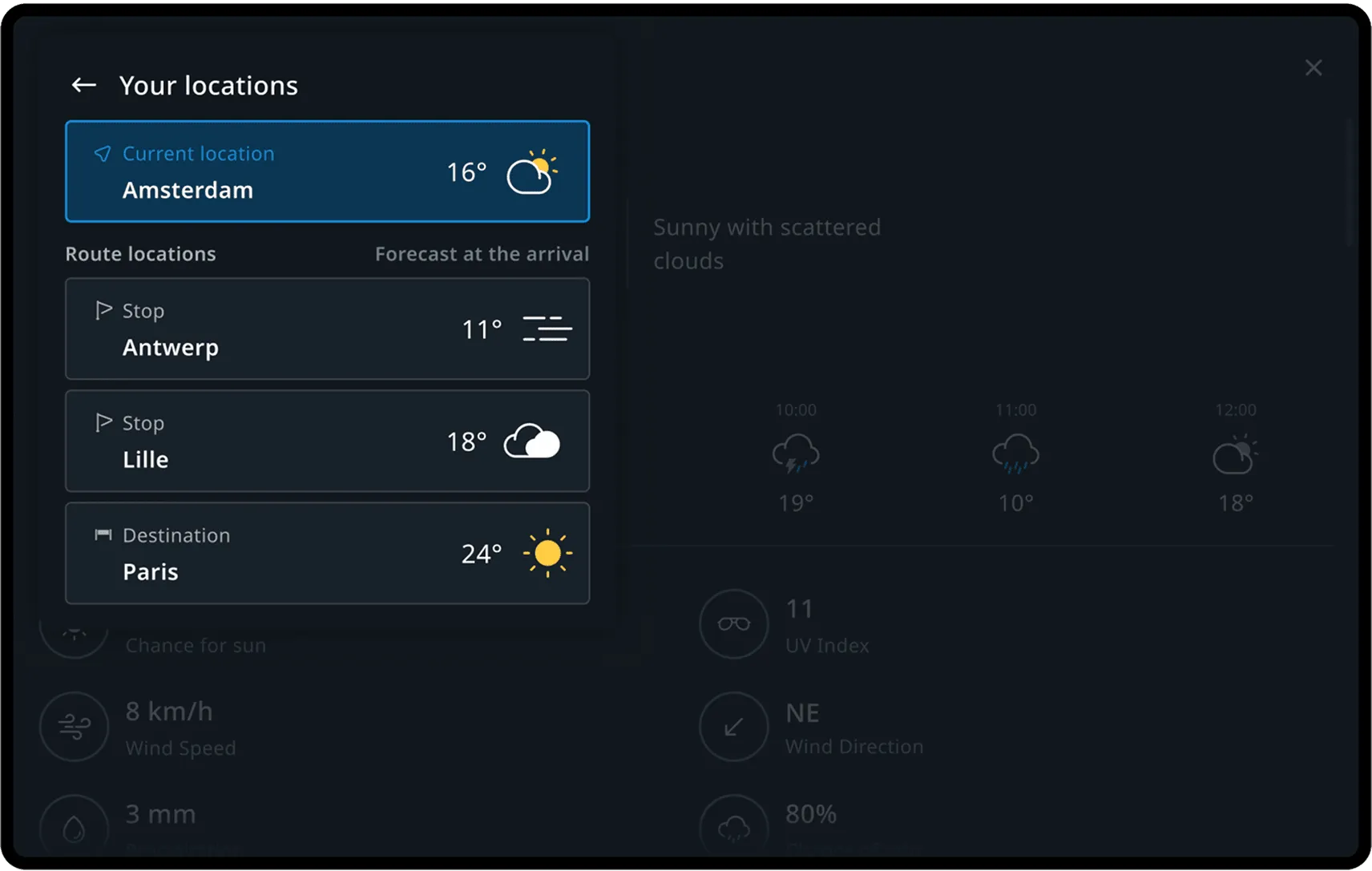
When planning a route, the locations of the stops and the final destination are automatically added to the locations list.
From the menu, drivers can switch between these locations.
Forecast for arrival
The same detailed weather information is available for the destination as for the user’s current location.
- The name of the destination, along with the estimated time of arrival, is displayed in the header of the app next to the stop entry.
- A weather forecast is shown for the time of arrival at the destination, with the time of arrival also shown in the hourly forecast section.
Flow
Weather forecast
After planning a route with stops, the user accesses the weather application from the map to check the forecast for their destination.